
Level Anything. With Confidence.
Turn your iPhone into a powerful digital leveling toolkit. Check surfaces, measure angles, align objects with your camera, and get real-time guidance that shows you what to adjust.
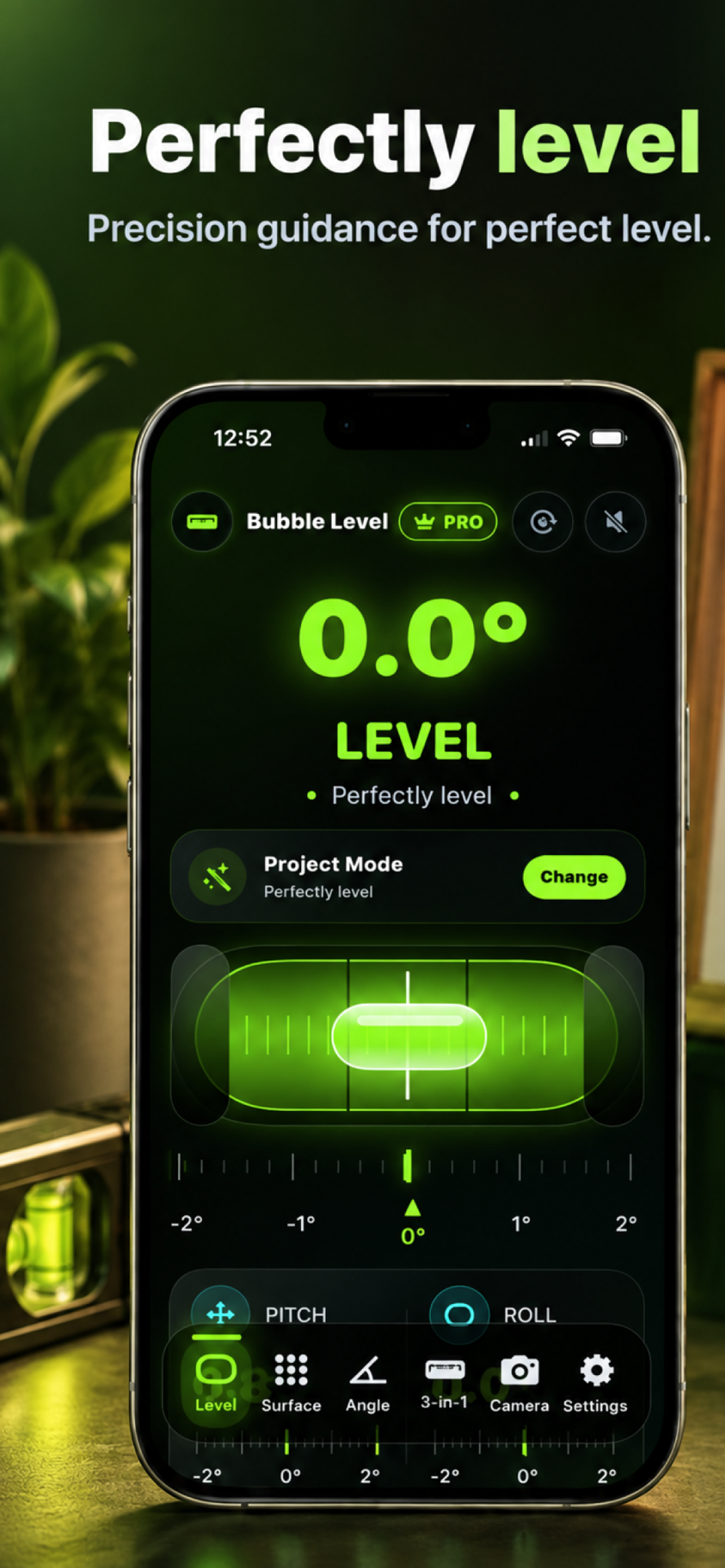
Feature Story
Your Pocket-Sized Precision Leveling Toolkit.
Feature 01
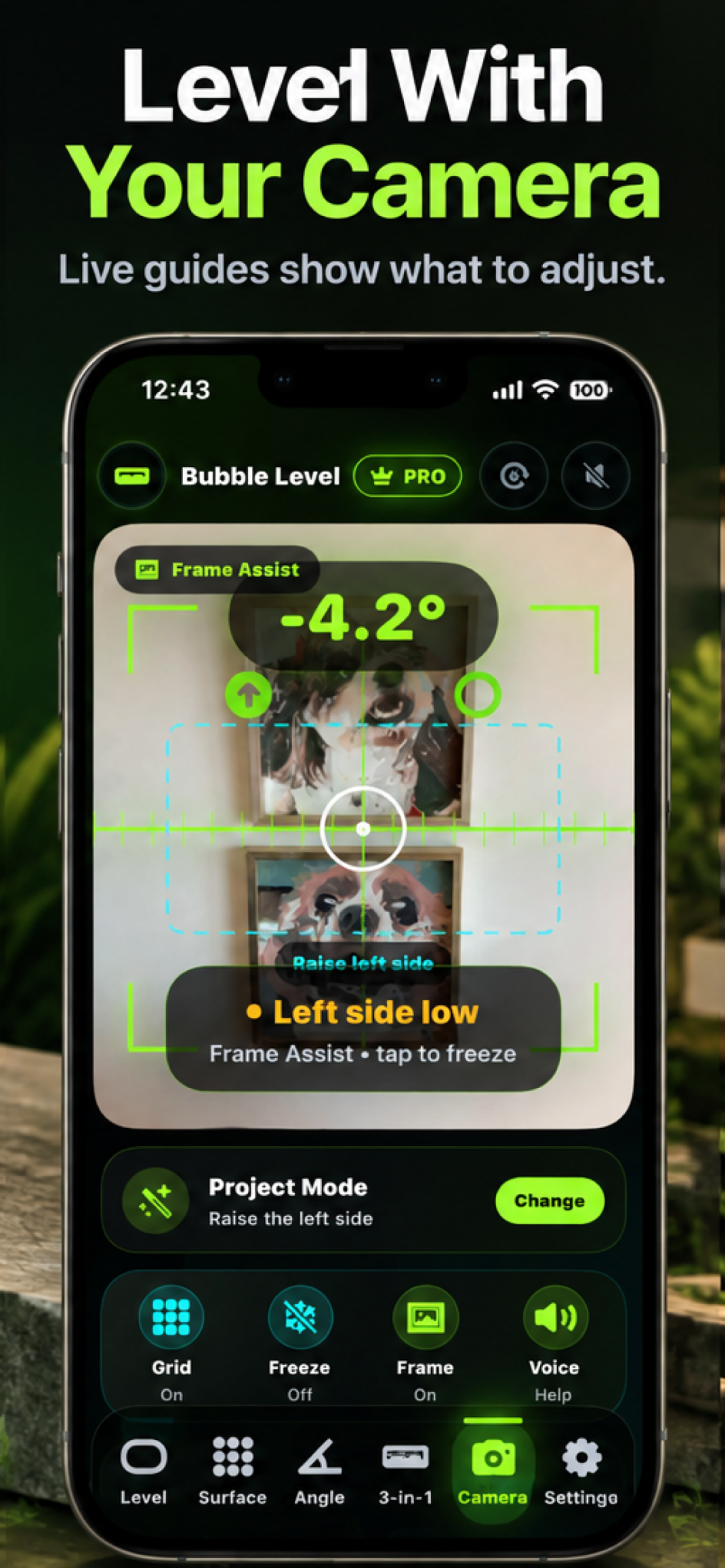
See Exactly What to Adjust.
Use your iPhone's camera to help align pictures, artwork, frames, and other objects. Bubble Level AI displays alignment guides and real-time measurement feedback over the camera view, helping users identify tilt and make visual adjustments.
- Live camera alignment guides
- On-screen leveling indicators
- Frame assistance
- Real-time directional feedback
- Optional visual reference overlays
- Helpful adjustment instructions
Feature 02
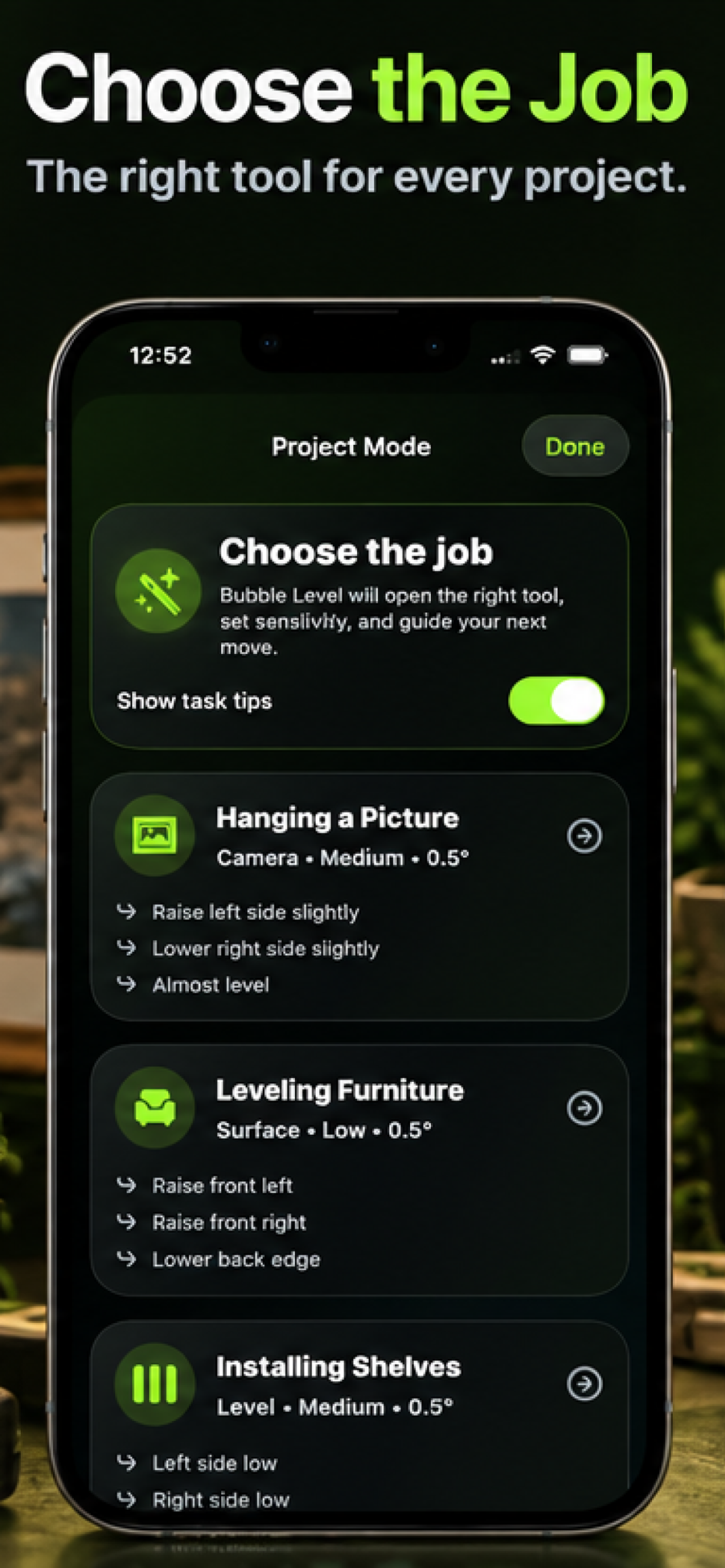
Choose the Job. We'll Guide the Way.
Different projects require different leveling tools. Project Mode helps users select the task they're working on and provides a suitable measurement interface, sensitivity settings, and guidance. Whether you're hanging a picture, leveling furniture, or installing shelves, Bubble Level AI helps simplify the process.
- Task-specific measurement modes
- Hanging pictures and artwork
- Furniture leveling
- Shelf installation
- Guided adjustment instructions
- Recommended measurement settings
Feature 03
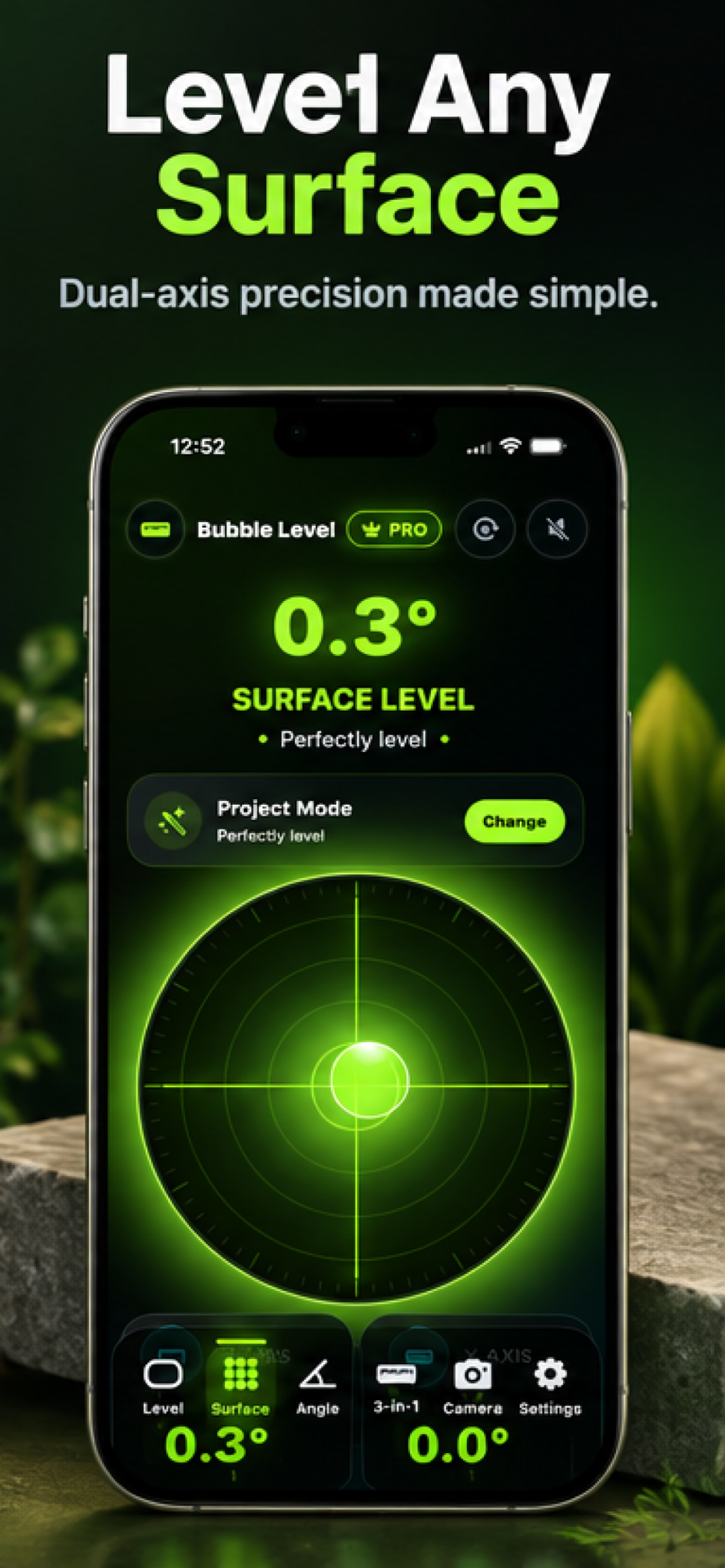
Level Every Surface.
Place your iPhone on a suitable flat surface and measure tilt across two axes. The visual bubble interface provides immediate feedback so you can assess tables, countertops, furniture, appliances, workbenches, and other surfaces.
- Dual-axis surface measurement
- Circular visual bubble indicator
- Live tilt feedback
- Convenient surface alignment
- Useful for home and workshop projects
Feature 04
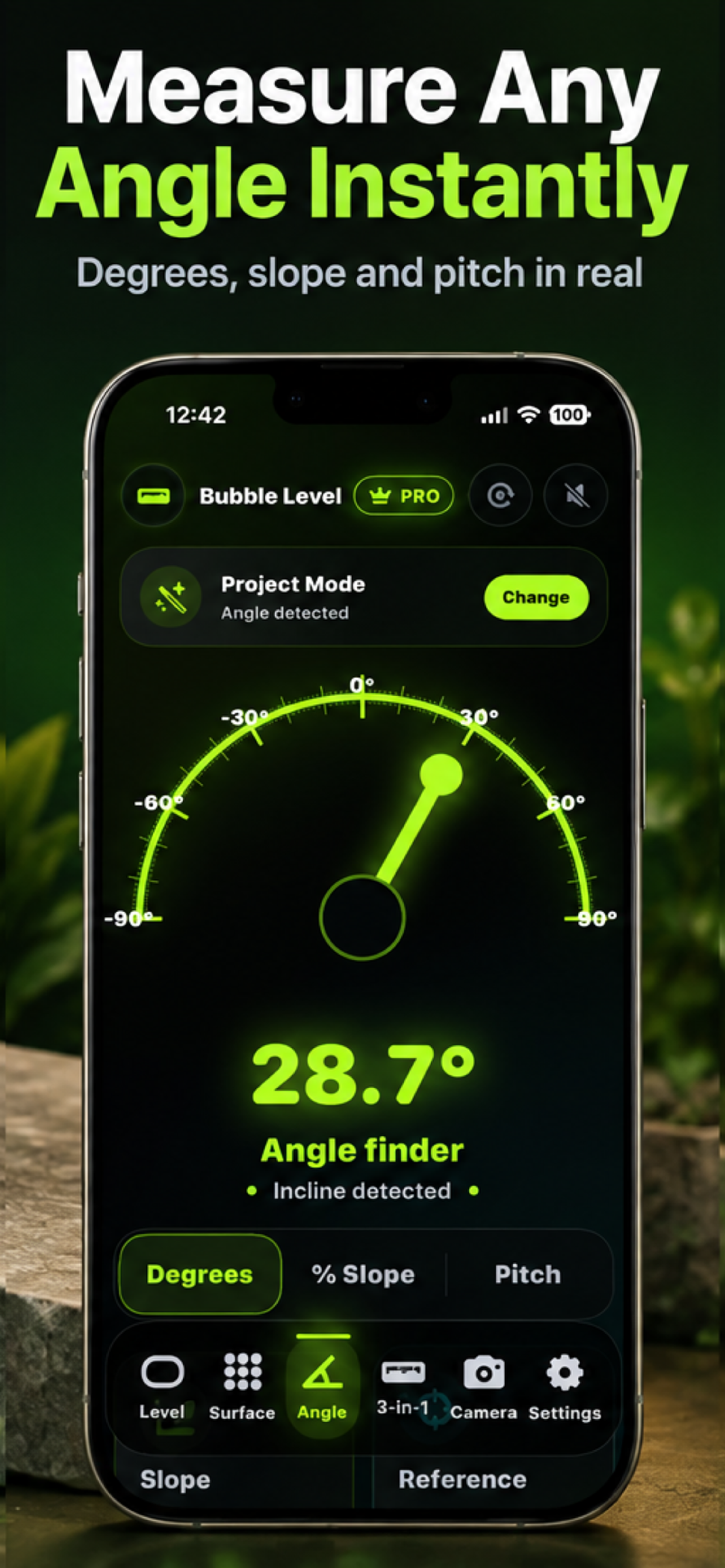
Measure Angles in Real Time.
Measure inclines, slopes, and angles using a clear digital angle finder. Explore measurements in degrees, percentage slope, and pitch when supported. Useful for ramps, stairs, roof inclines, woodworking, installation projects, and other everyday measurement tasks.
- Angle measurement
- Degrees
- Percentage slope
- Pitch
- Real-time visual feedback
- Clear graphical angle display
Feature 05
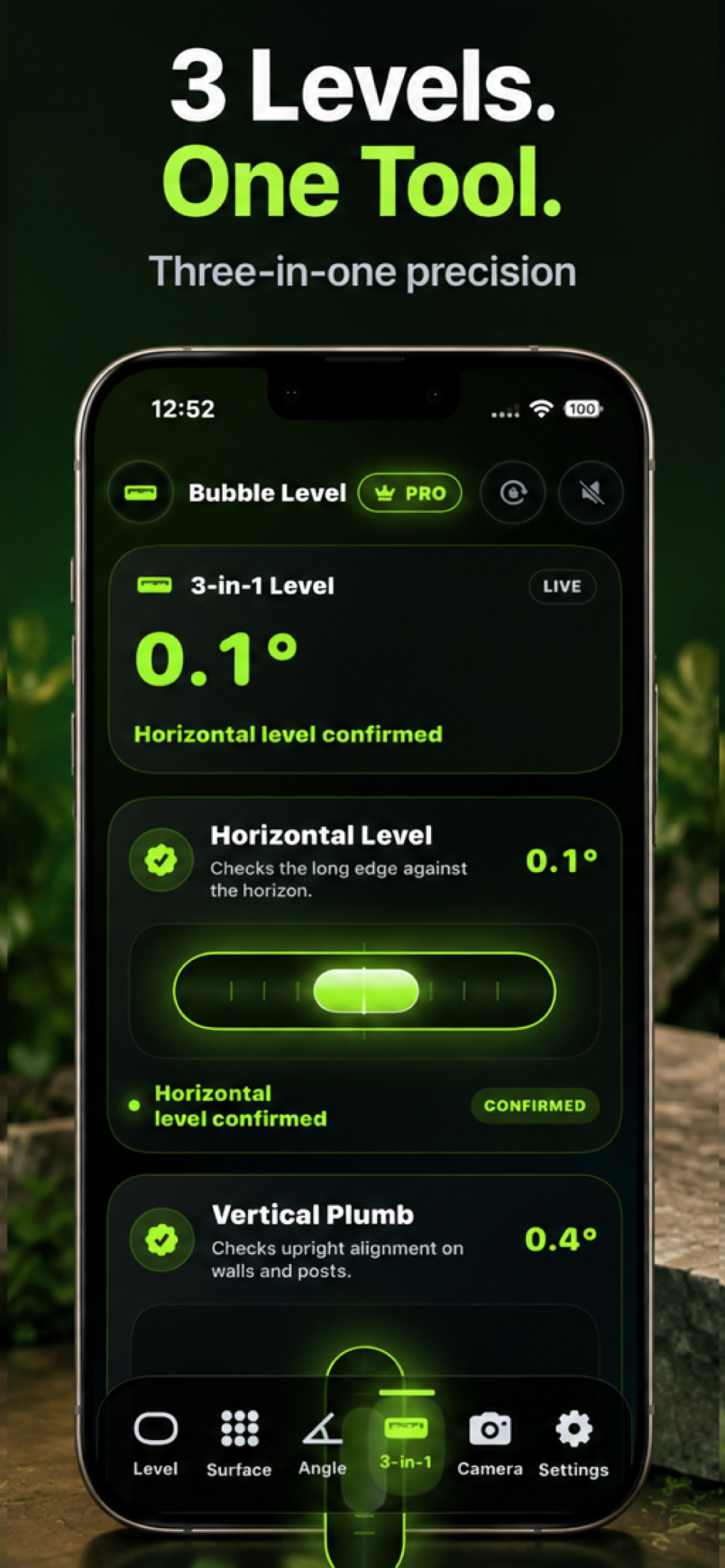
Three Measurement Tools. One Screen.
Check multiple forms of alignment from one convenient interface. Bubble Level AI's 3-in-1 mode brings together horizontal leveling, vertical plumb, and 45-degree alignment information in a streamlined view.
- Horizontal level
- Vertical plumb
- 45-degree alignment
- Combined measurement presentation
- Live feedback
- Convenient multi-tool interface
Feature 06
Keep Your Eyes on the Project.
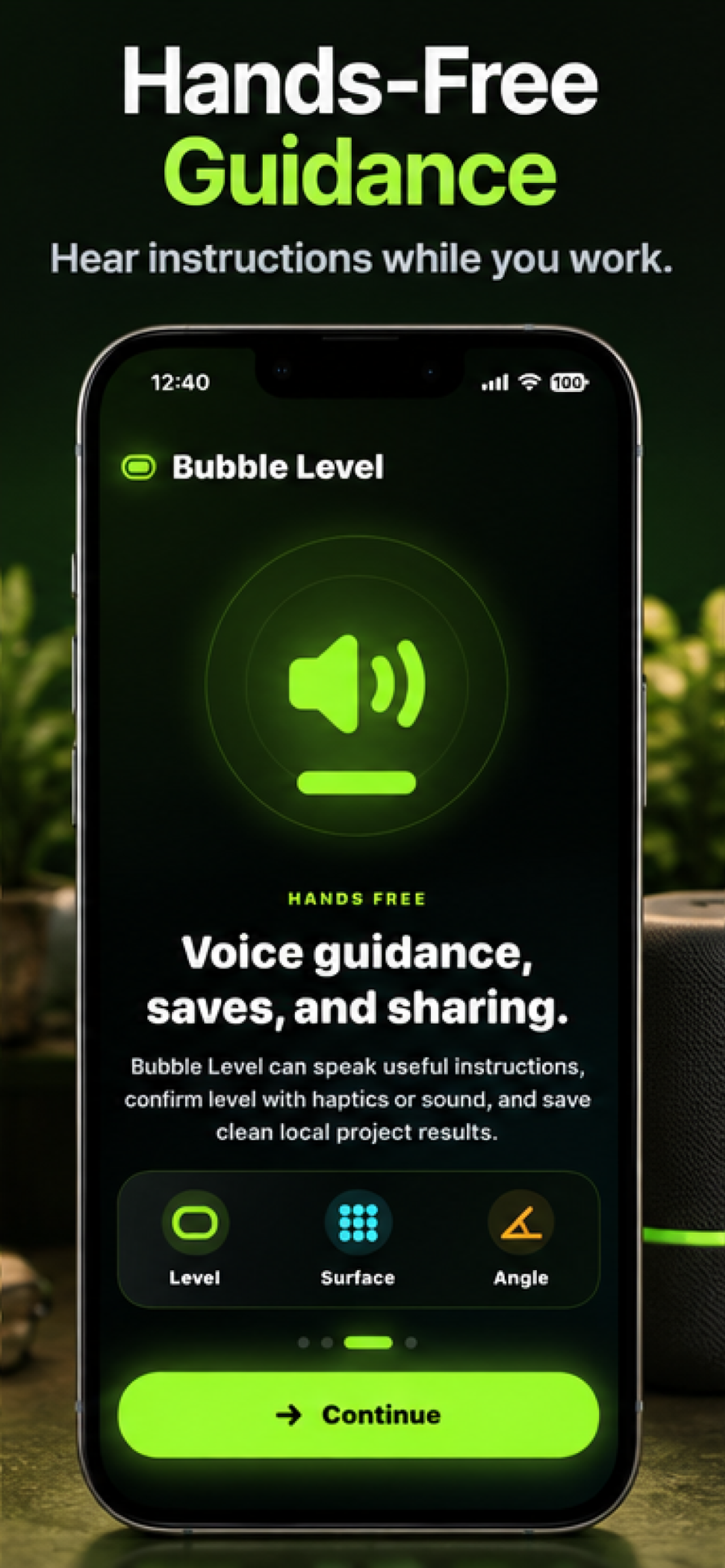
Sometimes it's difficult to watch your phone while holding a picture frame, adjusting a shelf, or balancing furniture. Bubble Level AI offers voice guidance and optional audio feedback to help users respond to measurement changes while concentrating on the task.
- Spoken leveling instructions
- Hands-free assistance
- Audio confirmation
- Helpful real-time feedback
- Optional sound controls
Feature 07
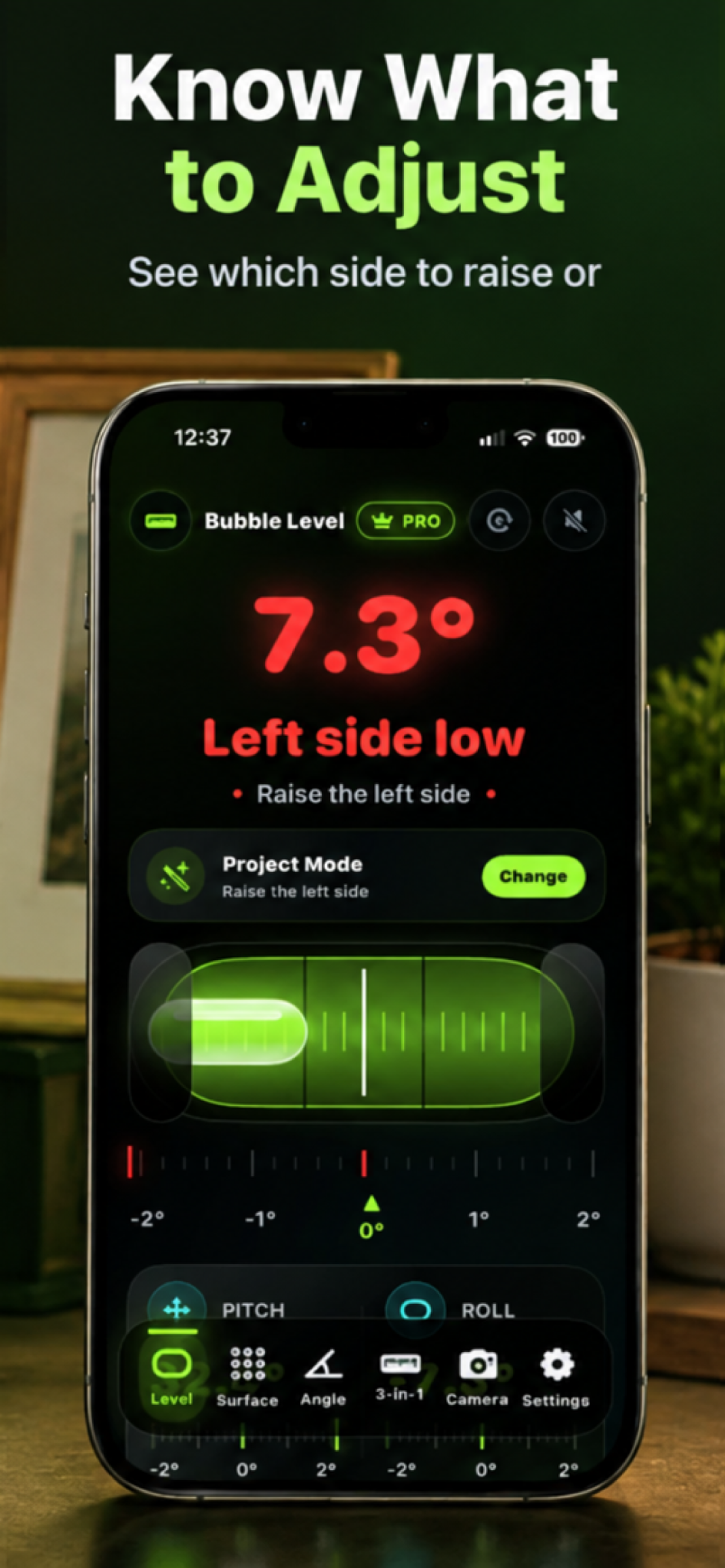
Know What to Adjust. Know When You're Level.
Bubble Level AI goes beyond displaying numerical measurements. The interface helps explain the current leveling condition and provides practical feedback as users make adjustments. When an object is tilted, the app can identify which side needs adjustment. As the object approaches the target level, the visual status changes to help guide the user.
- Live measurement feedback
- Directional adjustments
- Color-coded statuses
- Near-level indicators
- Clear leveling confirmation
- Reduced guesswork
Feature 08
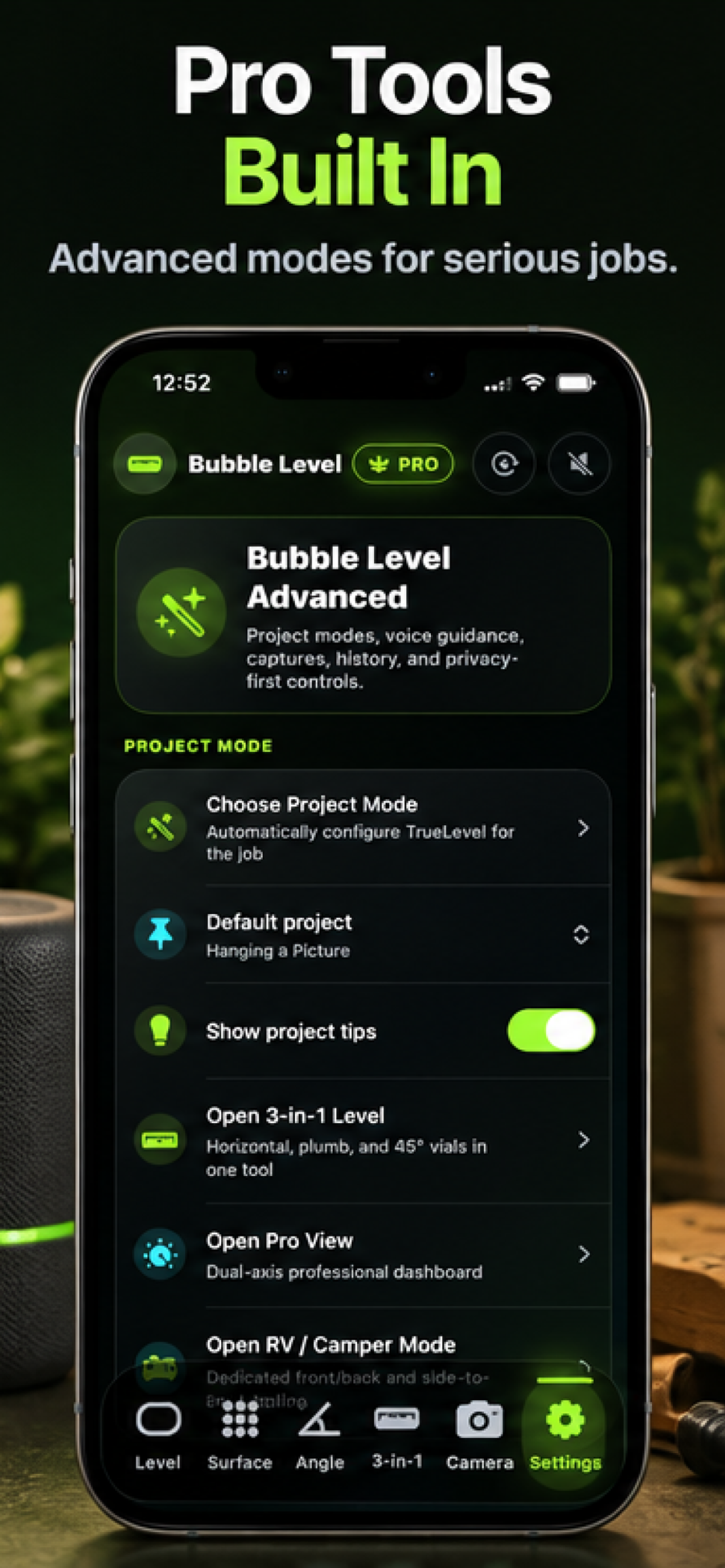
More Tools for More Demanding Projects.
Bubble Level AI includes advanced measurement options for users who want more control over their work. Explore compatible Project Modes, combined measurement views, advanced dashboards, and specialized leveling options for supported use cases. Some features may require optional Premium access.
- Advanced Pro tools
- 3-in-1 Level
- Professional measurement dashboard
- Project Mode settings
- Optional RV/Camper leveling tools
- Additional configuration options
Available now on the App Store — free to download
How It Works
From Crooked to Level in Seconds.
Choose Your Tool
Select Bubble Level, Surface Level, Angle Finder, Camera Level, 3-in-1 Level, or Project Mode.
Position Your iPhone
Place or hold your iPhone in the appropriate orientation for the measurement.
Follow Live Guidance
Watch the level indicator or follow the app's visual and optional spoken instructions.
Confirm Your Alignment
Adjust the object until the measurement reaches the desired level or angle.
Measure. Adjust. Perfect.
Use Cases
Built for Projects Big and Small.
Hanging Pictures
Align artwork and frames with camera-assisted guidance.
Installing Shelves
Check horizontal alignment during installation.
Leveling Furniture
Assess and adjust tables, desks, cabinets, and other furnishings.
Home Improvement
Measure slopes and check surface alignment for everyday projects.
RVs and Campers
Use supported leveling tools to evaluate vehicle or interior surface alignment.
Woodworking and DIY
Check angles, slopes, and level surfaces during projects.
Appliances
Help assess the level of washing machines, refrigerators, and other appliances.
Wall and Cabinet Alignment
Use appropriate measurement modes to check orientation.
Gallery
See Bubble Level AI in Action.
Discover the precision tools, intuitive guidance, and advanced measurement modes that make Bubble Level AI useful for everyday projects.
What Makes It Different
Not Just a Bubble Level. A Smarter Way to Work.
Bubble Level AI combines useful measurement tools with practical instructions, helping users understand the result and what to do next.
Real-Time Visual Feedback
Live measurements and color-coded states make alignment easier to understand.
Camera-Assisted Alignment
Visual overlays help position pictures, frames, and other objects.
Intelligent Project Mode
Choose the task and open a suitable measurement tool.
Multiple Measurement Modes
Switch between level, surface, angle, and combined measurement tools.
Voice Guidance
Use spoken feedback when watching the screen is inconvenient.
Privacy-First Design
Use supported measurement features without creating an application account.
Privacy
Your Measurements. Your Device.
Bubble Level AI is designed to work with your device's motion sensors and supported camera capabilities. No Bubble Level AI account is required. Measurement preferences, calibration settings, and saved project information can remain locally on the device unless users choose to share or export information.
FAQ
Frequently Asked Questions
What is Bubble Level AI?
What measurement tools are included?
Can Bubble Level AI help me hang a picture?
Does the app measure angles?
What is Project Mode?
Does Bubble Level AI include voice instructions?
Does Bubble Level AI require an internet connection?
Does Bubble Level AI require an account?
How accurate is Bubble Level AI?
Is Bubble Level AI available now?
Is Bubble Level AI free?
Where can I download it?
Every Great Project Starts With Getting It Level.
From hanging pictures to measuring angles, Bubble Level AI puts a versatile collection of leveling tools in your pocket.