
Scan Smarter. Find Anything Fast.
Turn documents into searchable, organized information. Capture paperwork, extract key details, generate intelligent summaries, identify deadlines, and find what matters with ScanIQ.
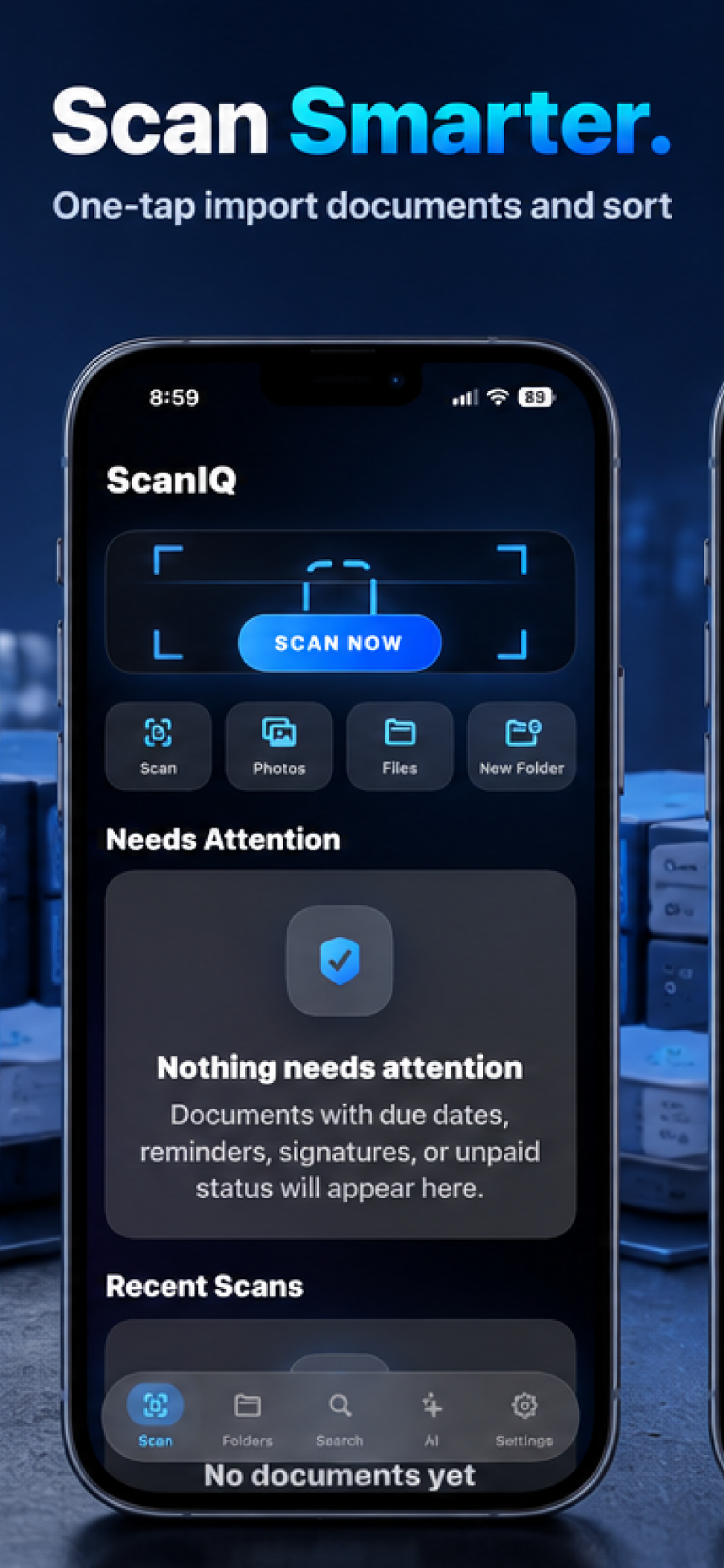
Feature Story
Your Documents. Organized, Searchable, and Intelligent.
Feature 01
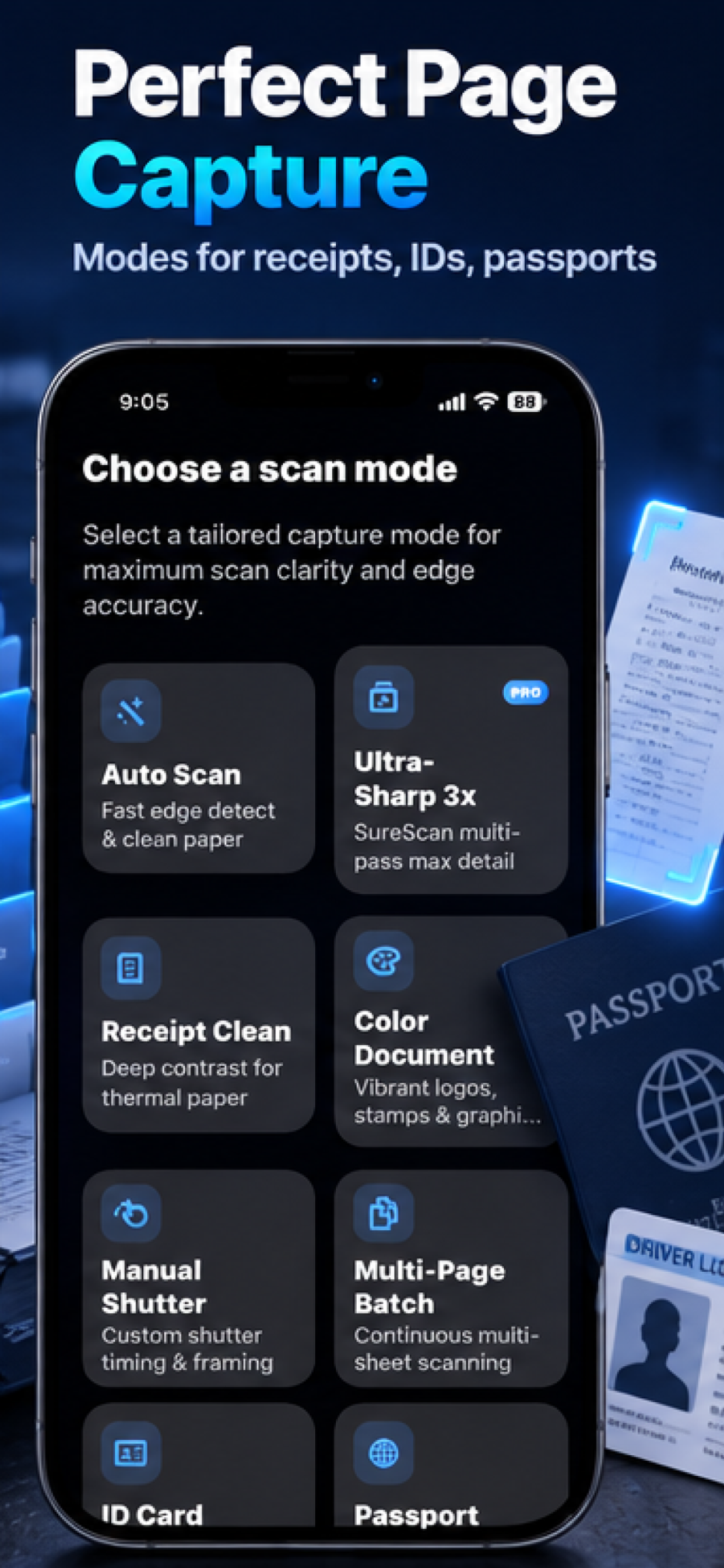
Perfect Page Capture.
Capture receipts, identification records, passports, multi-page documents, and everyday paperwork using specialized scanning modes designed to improve clarity and accuracy.
- Automatic capture and edge detection
- Receipt scanning mode
- Color enhancement
- Multi-page and document-specific modes
Feature 02
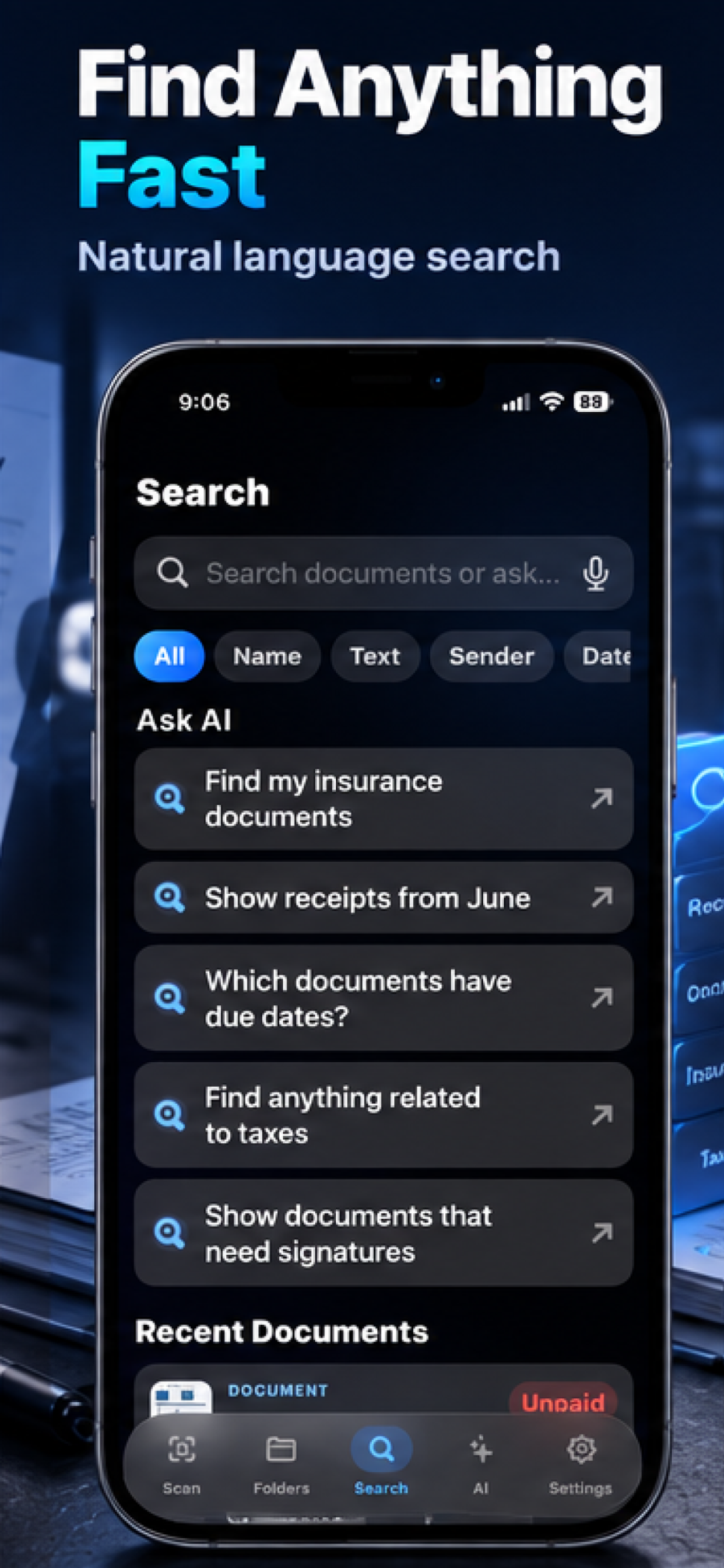
Search Smarter. Find Faster.
Find important documents using natural-language searches instead of remembering exact filenames. Search for insurance records, tax documents, receipts, due dates, and paperwork requiring signatures.
- OCR text recognition
- Natural-language queries
- Search filtering
- Fast document retrieval
Feature 03
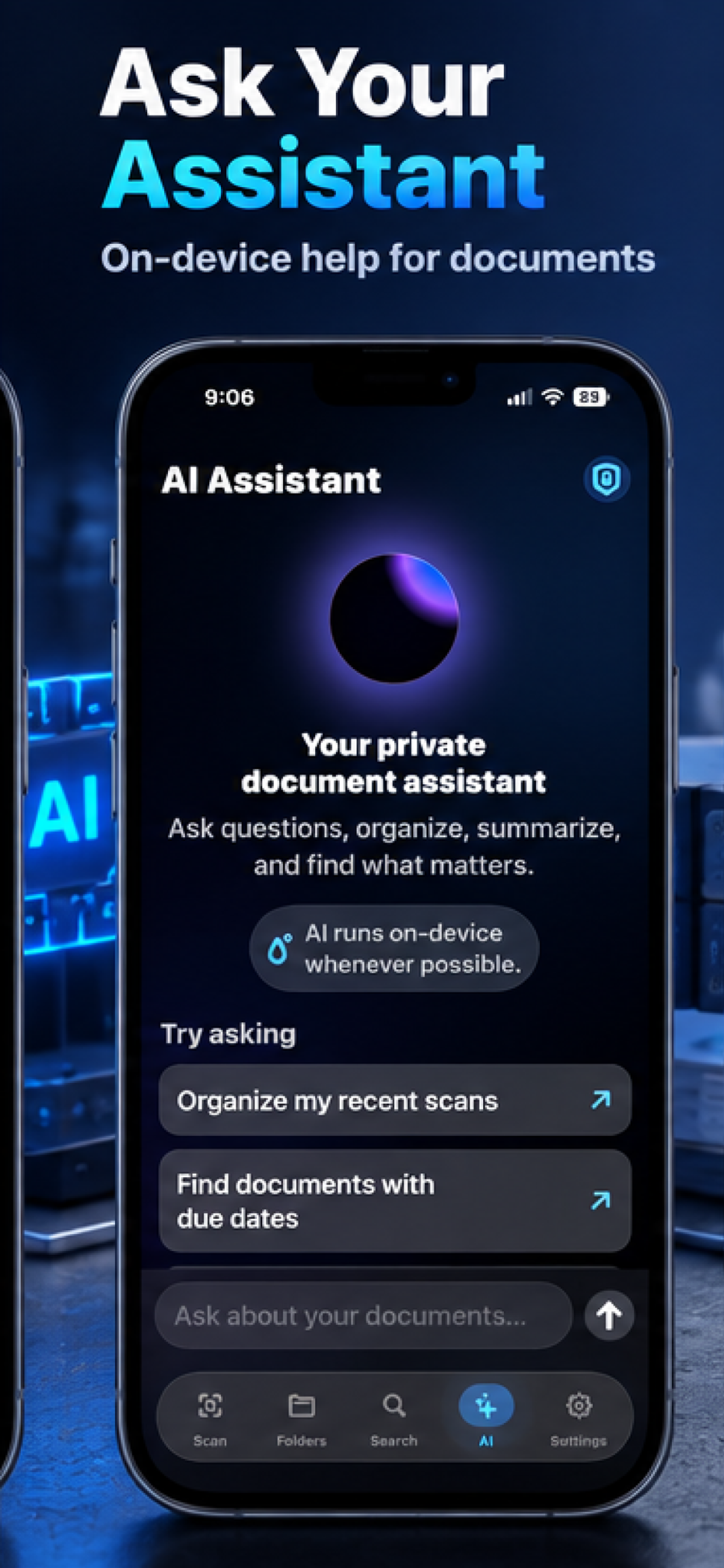
Your Intelligent Document Assistant.
Ask questions about documents, request useful information, organize recent scans, and find the details you need using ScanIQ's intelligent assistant.
- AI-powered document questions
- Intelligent search and organization
- Relevant information extraction
- Conversational document access
Feature 04
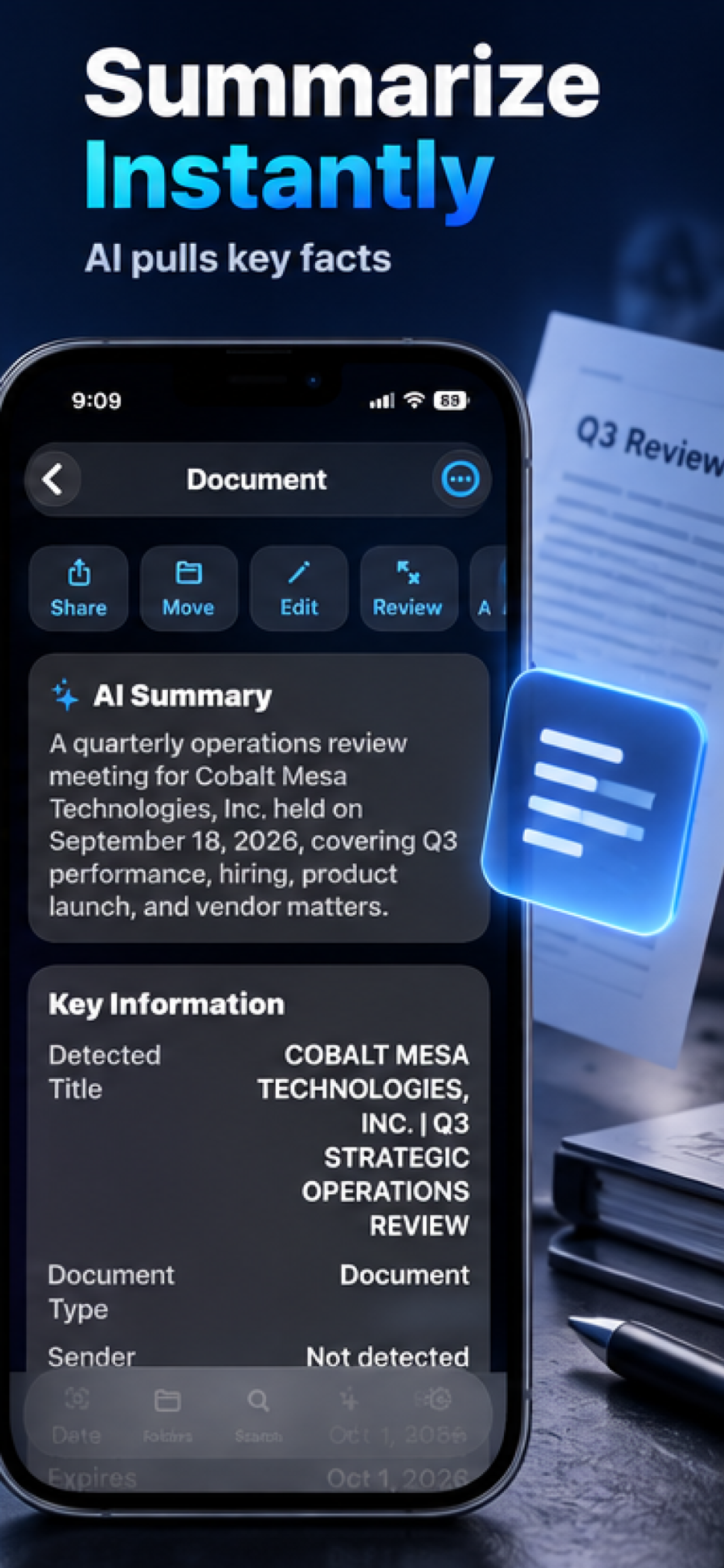
Understand Documents in Seconds.
Quickly review important information through AI-generated summaries and extracted details. ScanIQ helps you understand lengthy records without manually searching every page.
- AI-generated summaries
- Key information extraction
- Document titles and types
- Important dates and facts
Feature 05
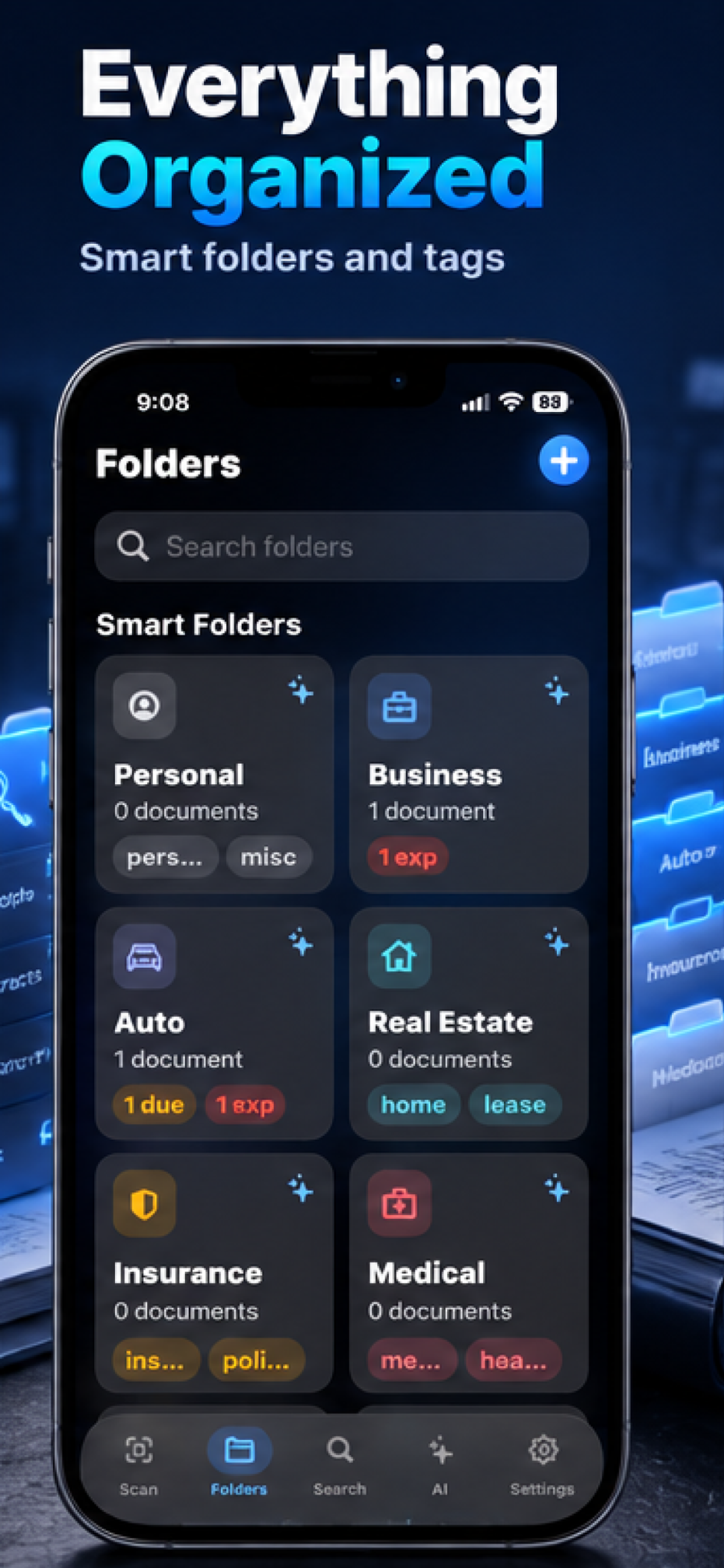
Every Document. In Its Place.
Keep personal, professional, financial, medical, property, insurance, and vehicle records organized using intelligent folders and tags.
- Smart folders and categories
- Custom tags
- Intelligent document grouping
- Quick access to any record
Feature 06
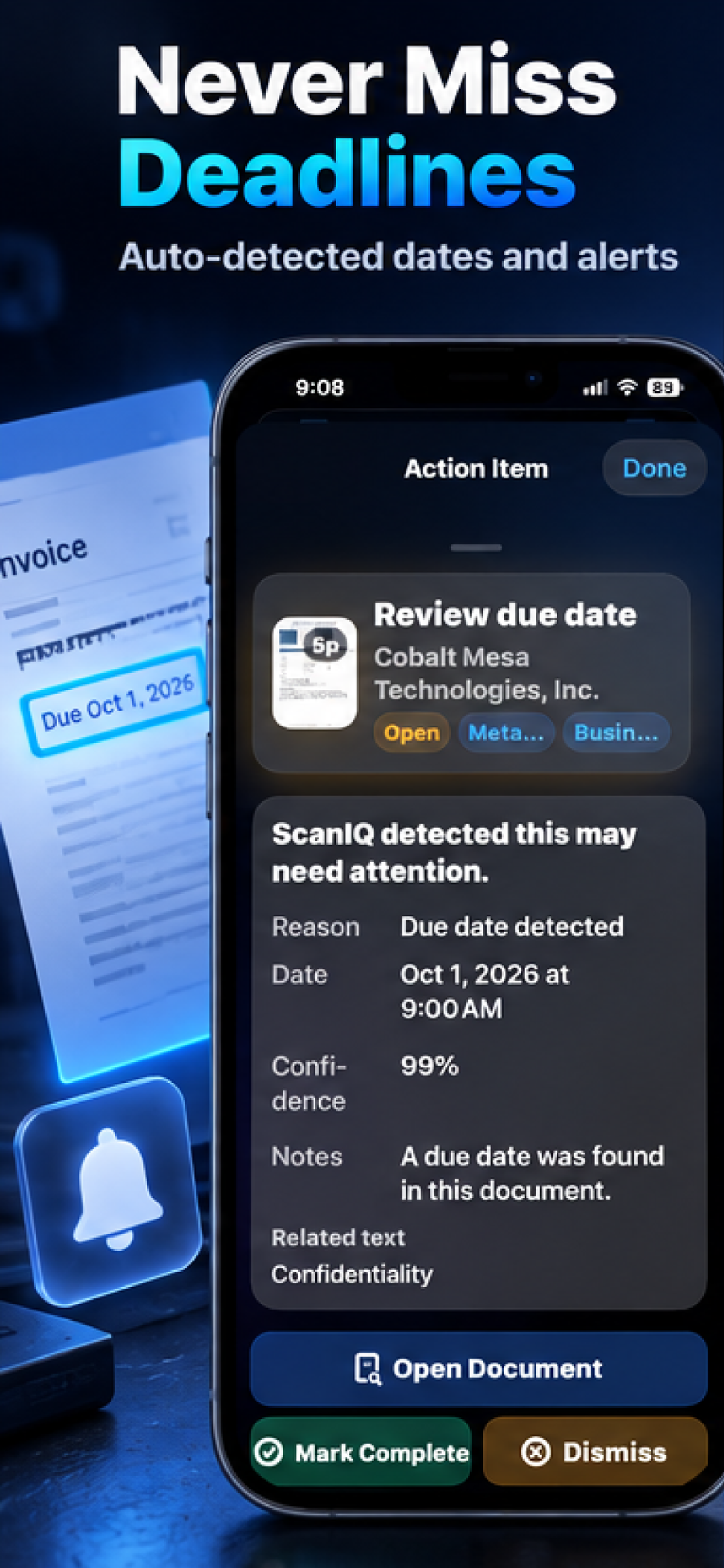
Important Dates. Easier to Manage.
Surface important dates found in scanned documents and review reminders, deadlines, and action items. Always verify detected information against your original documents.
- Due-date detection
- Document alerts and reminders
- Actionable items
- Direct access to original documents
Feature 07
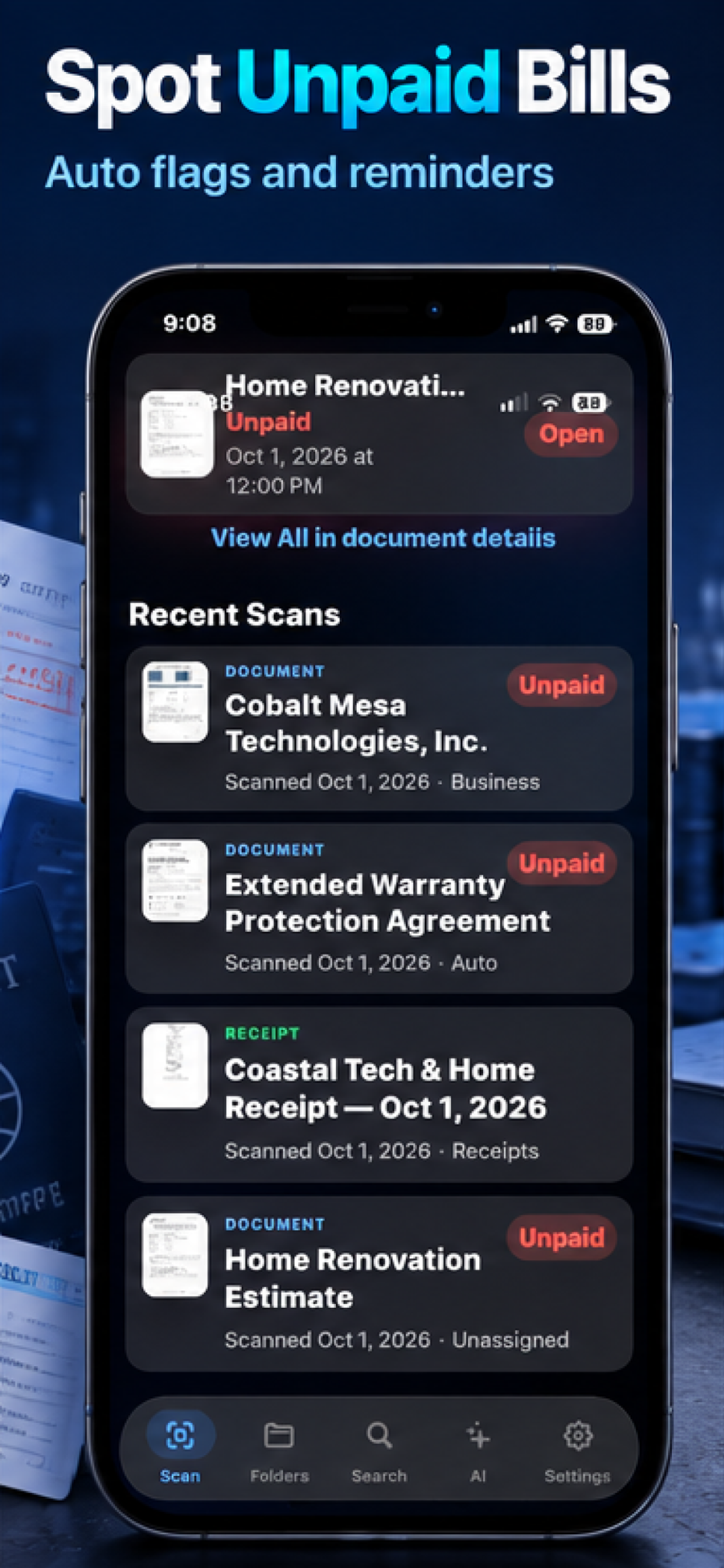
Know What Needs Attention.
ScanIQ helps highlight potentially unpaid documents and other important records that may need review. Always confirm payment status directly with the relevant party.
- Potential unpaid-bill indicators
- Attention flags for important documents
- Document review prompts
- Reminder support
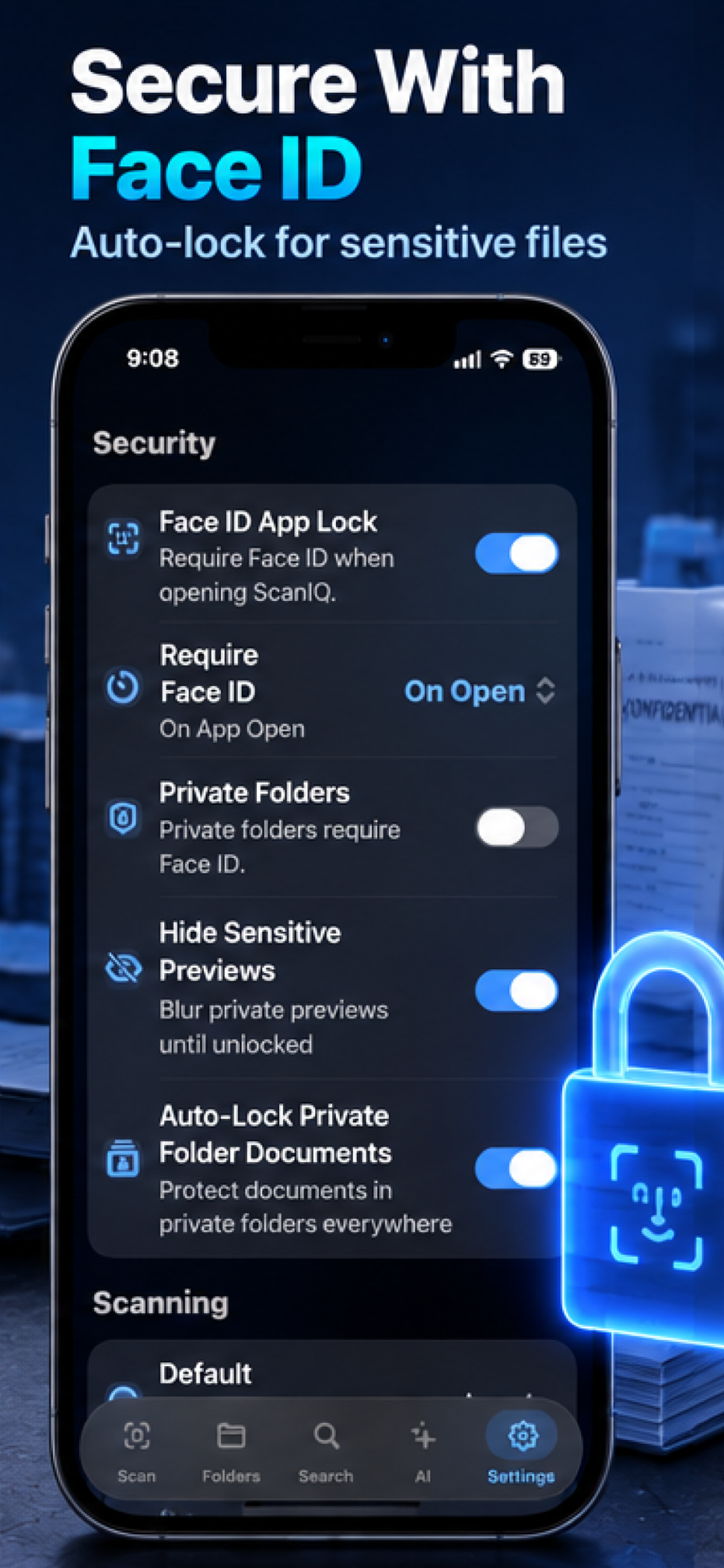
Feature 08
Your Sensitive Documents Deserve Protection.
Protect important documents with Face ID application locking, private folders, and sensitive-preview security controls.
- Face ID application locking
- Private folders
- Automatic locking
- Protected document previews
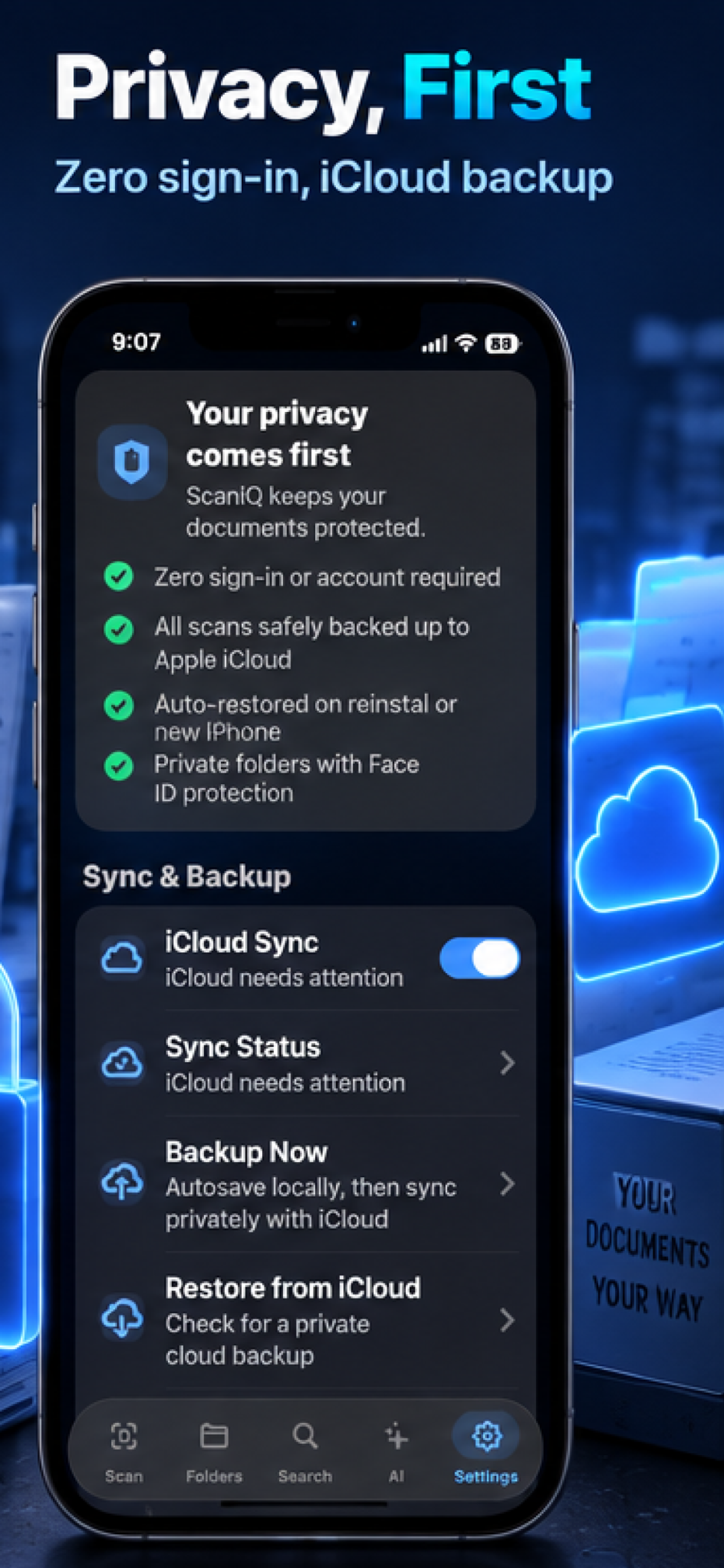
Feature 09
Privacy Designed Around You.
Manage documents without a ScanIQ-specific account, use supported on-device intelligence features, and choose whether to enable optional Apple iCloud backup.
- No ScanIQ-specific account required
- On-device processing where supported
- Optional iCloud backup and sync
- User-controlled data and preferences
Available now on the App Store
How It Works
From Paper to Answers.
Scan
Capture paper documents or import existing files.
Recognize
Use OCR and intelligent processing to identify document content.
Understand
Review AI summaries and extracted information.
Organize
Save documents into folders, categories, and smart collections.
Find
Search documents using natural language.
Protect
Manage access using Face ID, private folders, and optional iCloud backup.
Gallery
See ScanIQ in Action.
Discover how ScanIQ makes scanning, searching, understanding, and organizing documents easier.
Use Cases
One Scanner. Countless Possibilities.
Receipts & Expenses
Capture and organize purchases and financial records.
Bills & Invoices
Keep payment-related documents and due dates organized.
Insurance Records
Save policies, coverage documents, and claims paperwork.
Business Documents
Store contracts, reports, agreements, and important records.
Real Estate & Home
Organize leases, warranties, maintenance records, and property documents.
Personal Records
Keep identification, travel, medical, and household paperwork accessible.
Your Documents. Your Control.
ScanIQ is designed with privacy at its foundation. Capture, organize, search, and manage your documents without creating a ScanIQ-specific account. Supported intelligent features use on-device processing where available, and optional Apple iCloud backup and synchronization can help preserve your documents when enabled. Face ID, private folders, and sensitive-preview controls provide additional ways to protect important information.
FAQ
Frequently Asked Questions
What is ScanIQ?
Can ScanIQ scan receipts and multi-page documents?
Can ScanIQ recognize text?
Can ScanIQ generate AI summaries?
Can ScanIQ find important deadlines?
Does ScanIQ support Face ID?
Does ScanIQ require an account?
Does ScanIQ support iCloud backup?
Is ScanIQ available now?
How do I download ScanIQ?
Your Documents. Smarter Than Ever.
Scan it. Find it. Understand it. Keep important paperwork organized with ScanIQ.