
Scan. Sign. Finish Documents Faster.
SignFlow AI turns your iPhone or iPad into a powerful document signing workspace. Scan or import documents, add signatures, initials, dates, names, text, and other information exactly where you need it, then save, organize, and share completed files. Optional AI assistance helps when you want it, while privacy and user control remain at the center of the experience.
Feature Story
Everything You Need to Sign Documents.
Feature 01
Scan Documents Instantly.
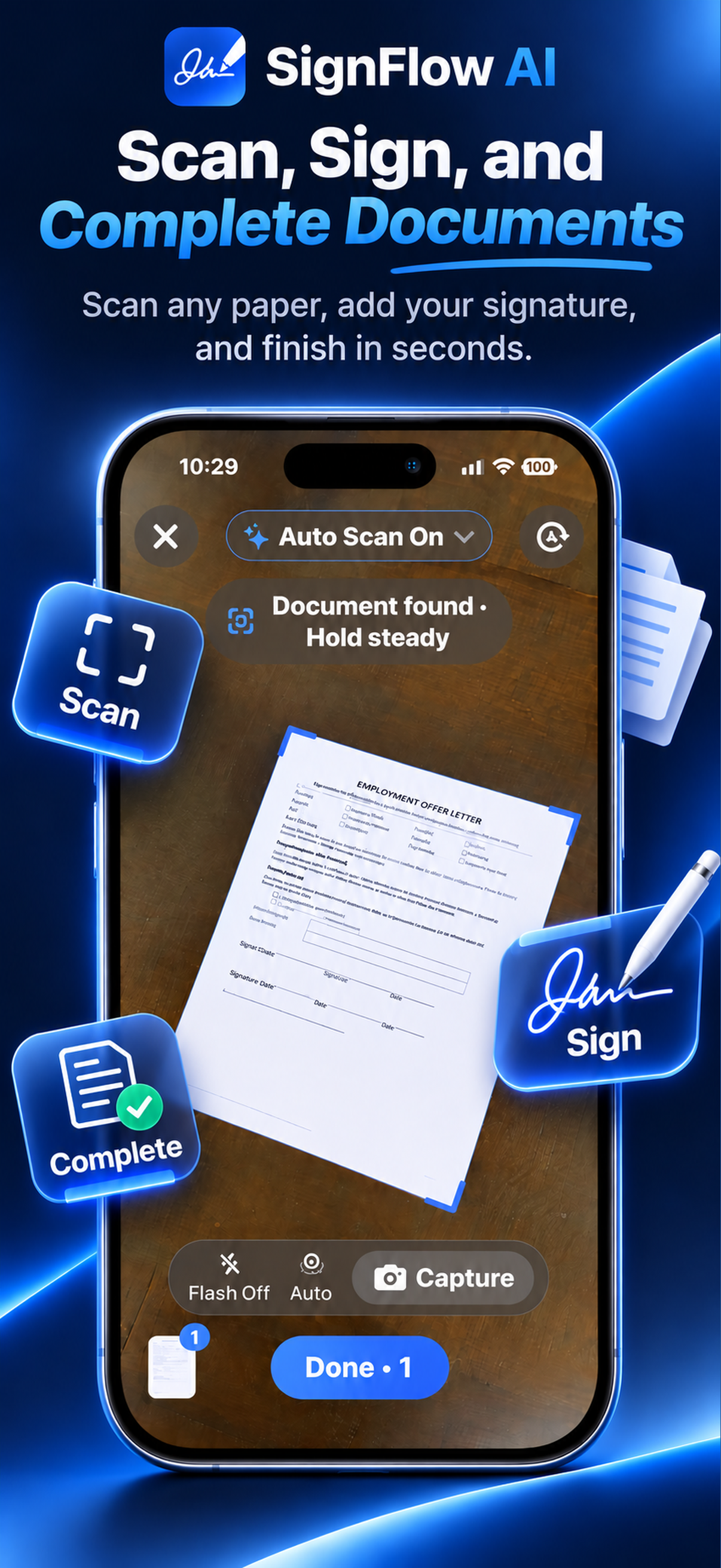
Capture paper documents using automatic document detection, or import documents you already have. Review scanned pages before continuing so you stay in control of the final document.
- Automatic document detection
- Camera-based paper capture
- PDF and file import
- Page review before saving
- Multi-page document support
Feature 02
Review Every Page.
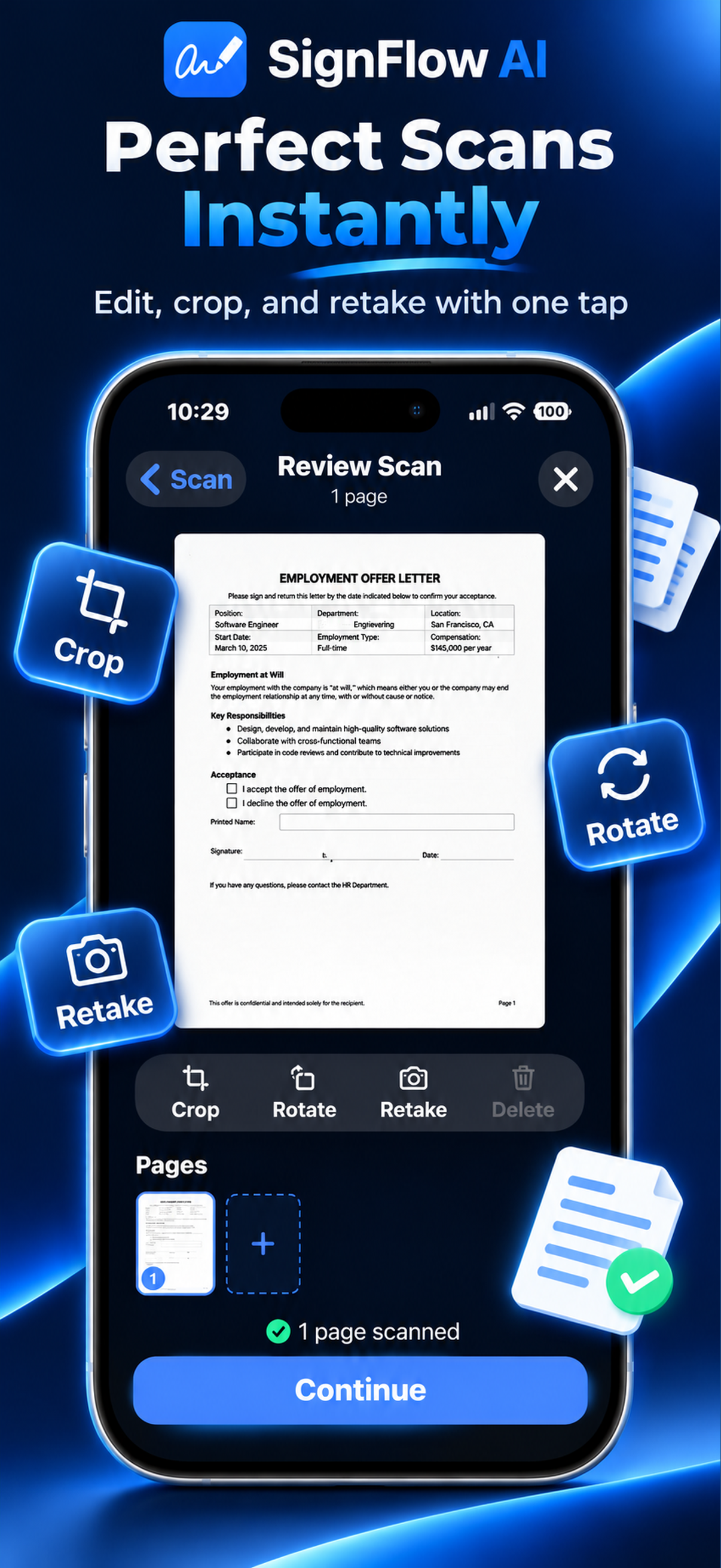
Crop, rotate, retake, or add additional pages before saving your scan. SignFlow AI makes it easy to create a clean document before you begin signing.
- Crop and rotate pages
- Retake individual pages
- Add additional pages
- Clean document preparation
- Review before signing
Feature 03
Name & Organize Easily.
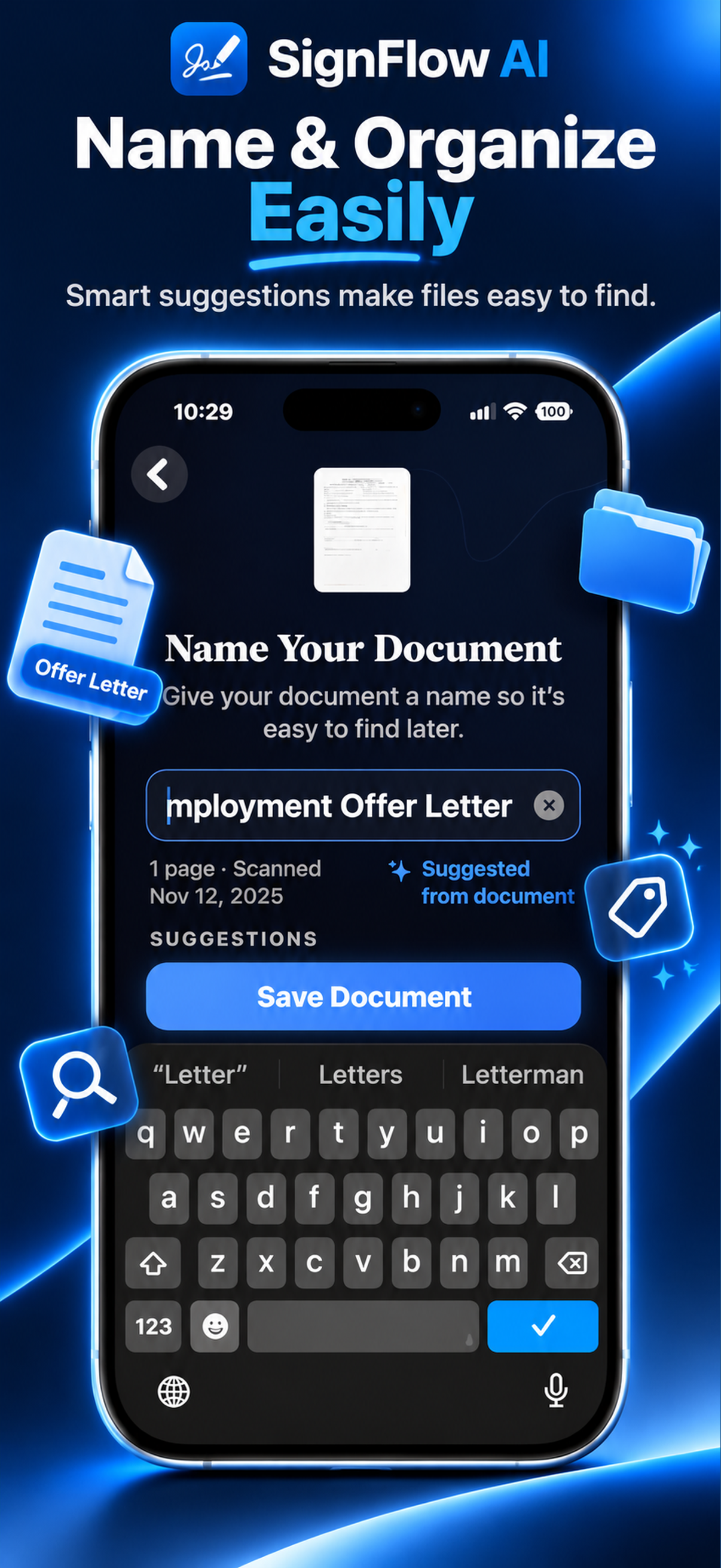
Give documents clear names and keep files easy to find. SignFlow can suggest a document name based on the document when supported, while still letting you choose exactly how files are named.
- Clear document naming
- AI-suggested names when supported
- User-controlled file naming
- Organized document library
- Folder support
Feature 04
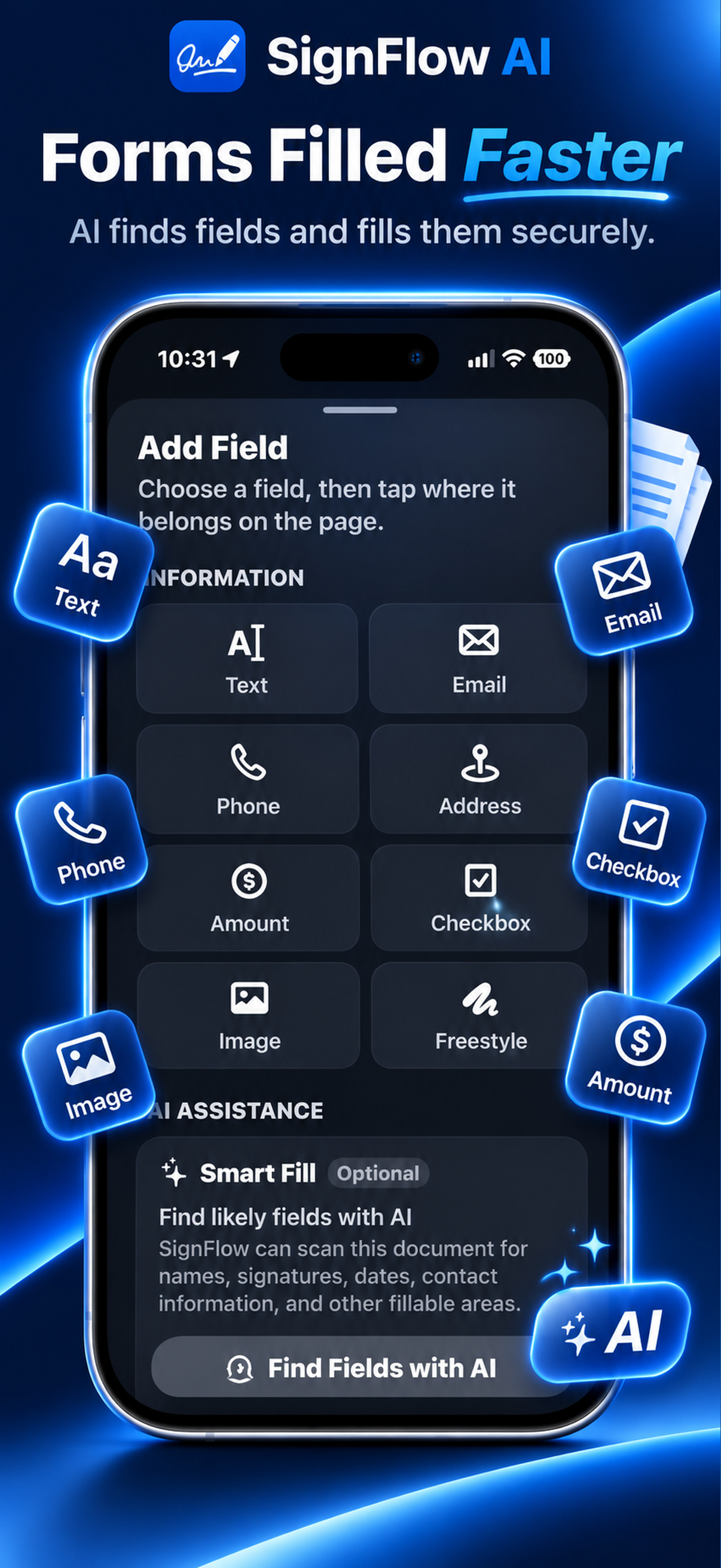
Forms Filled Faster.
Add text, email, phone numbers, addresses, amounts, checkboxes, images, freestyle content, and other information directly to your documents. Optional Smart Fill can help identify likely fillable areas when you want assistance — manual control is always available.
- Text, email, phone, address fields
- Amounts, checkboxes, images
- Freestyle content placement
- Optional Smart Fill assistance
- Manual control always available
Feature 05
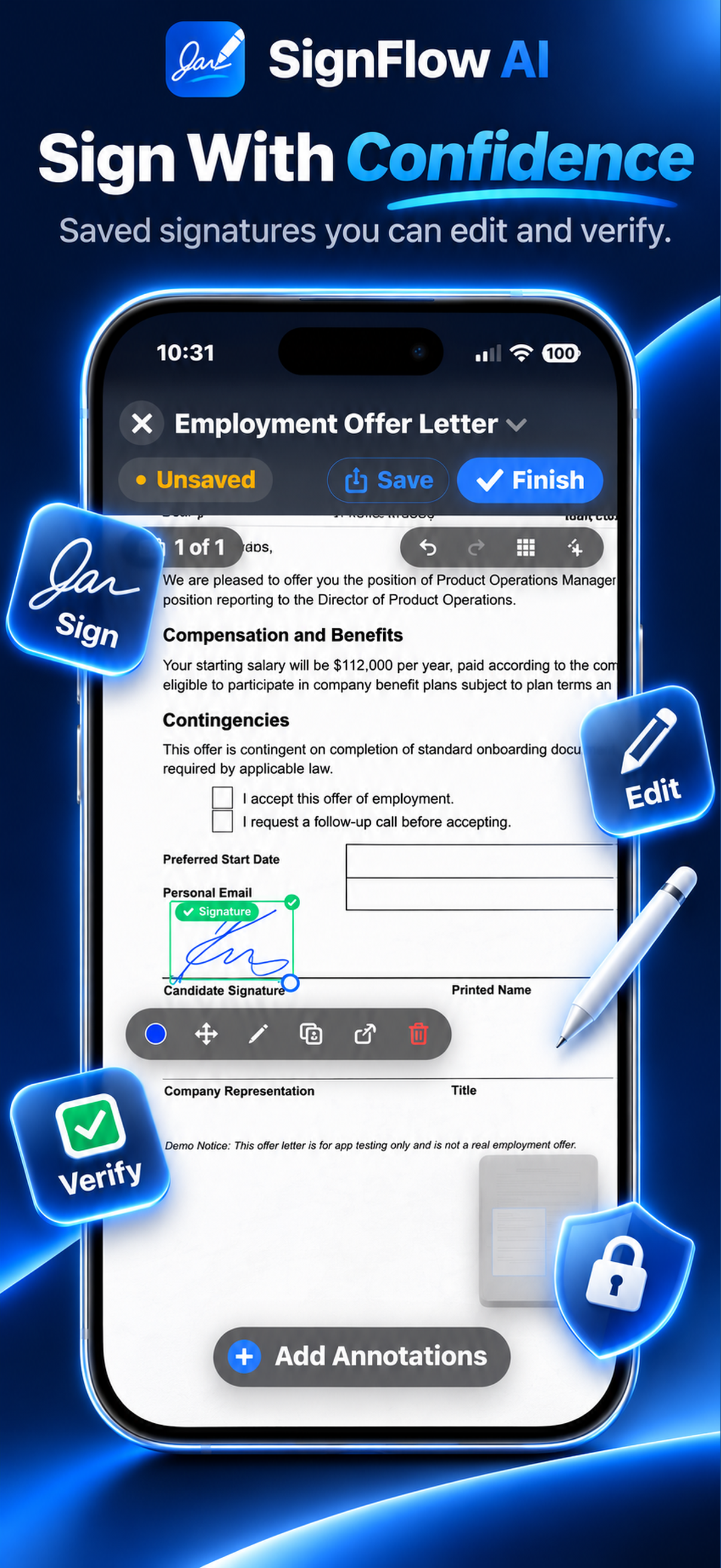
Sign With Confidence.
Create and reuse signatures and initials, then place them precisely where they belong. Move, resize, edit, recolor, or delete values whenever necessary. Supported annotations can use Black, White, Blue, Red, or Green — keeping signatures and other values visible on both light and dark document backgrounds.
- Saved reusable signatures and initials
- Precise placement and resizing
- Move, edit, or delete values
- Black, White, Blue, Red, Green colors
- Visible on light and dark backgrounds
Feature 06
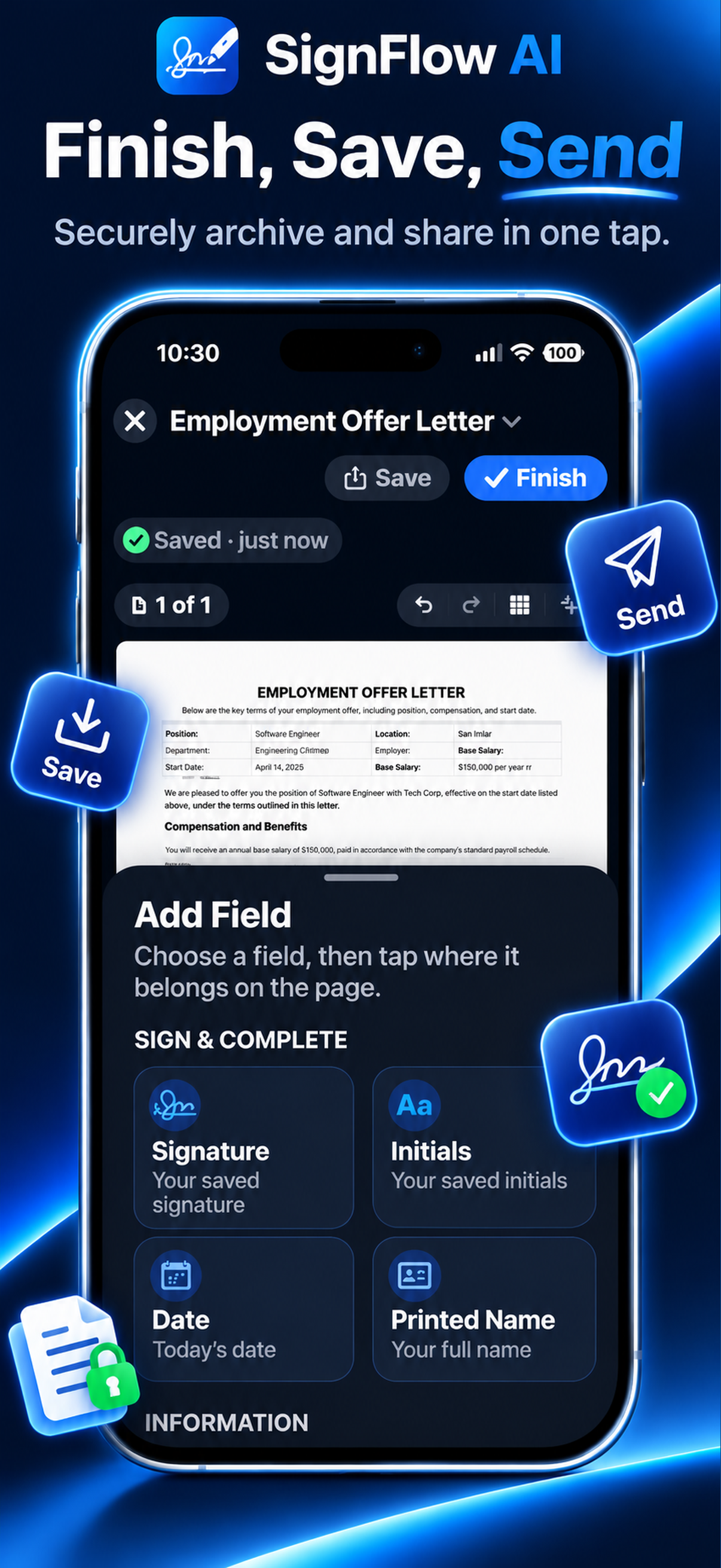
Finish, Save & Send.
Add your signature, initials, date, printed name, and other information, save your work, finish the document, and share the completed file when you're ready.
- Complete document workflow
- Save finished documents
- Share and export options
- Signature, initials, date, name
- User-controlled sharing
Feature 07
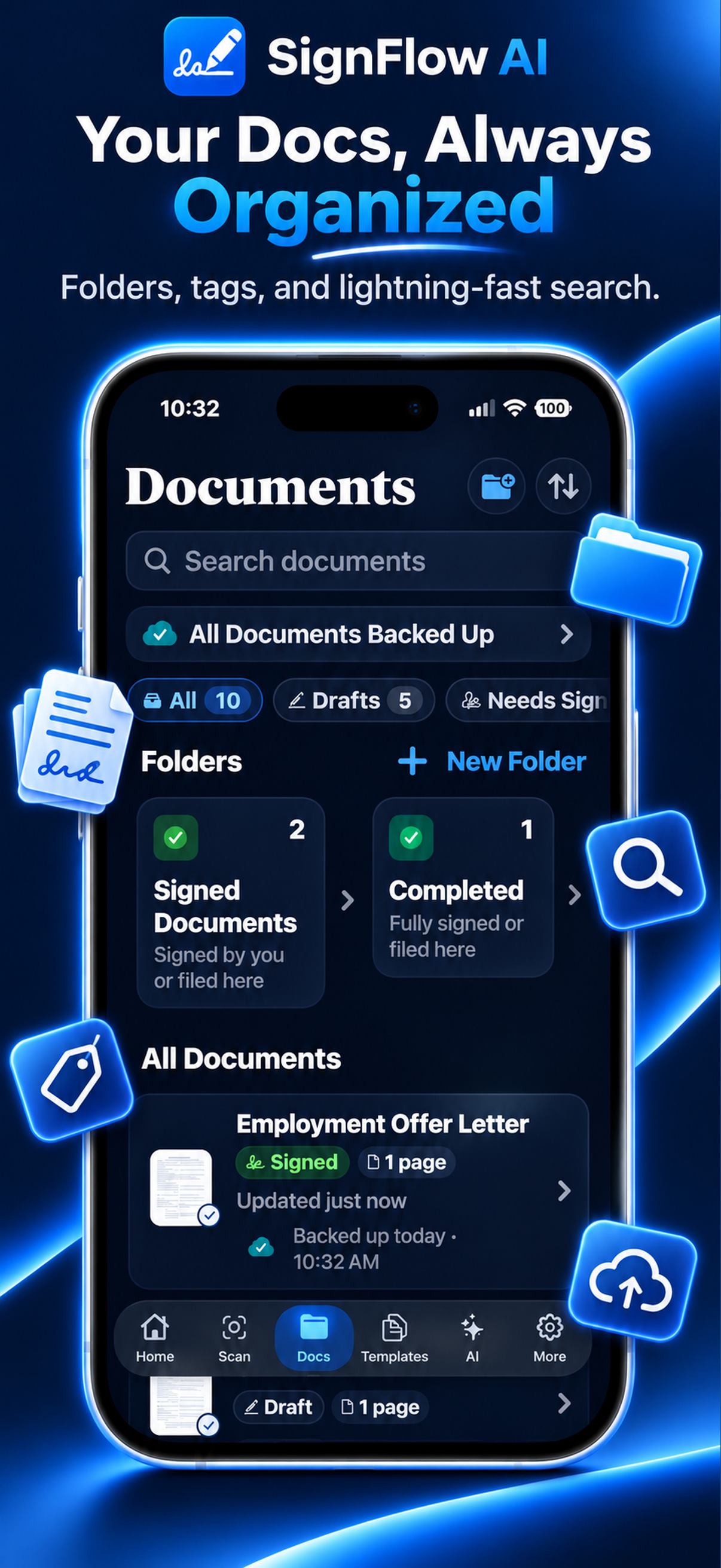
Your Documents, Always Organized.
Keep drafts, signed files, completed documents, and folders together in one organized document library. Search documents and quickly return to the files you need.
- Drafts and completed documents
- Folder organization
- Document search
- Quick file access
- Unified document library
Feature 08
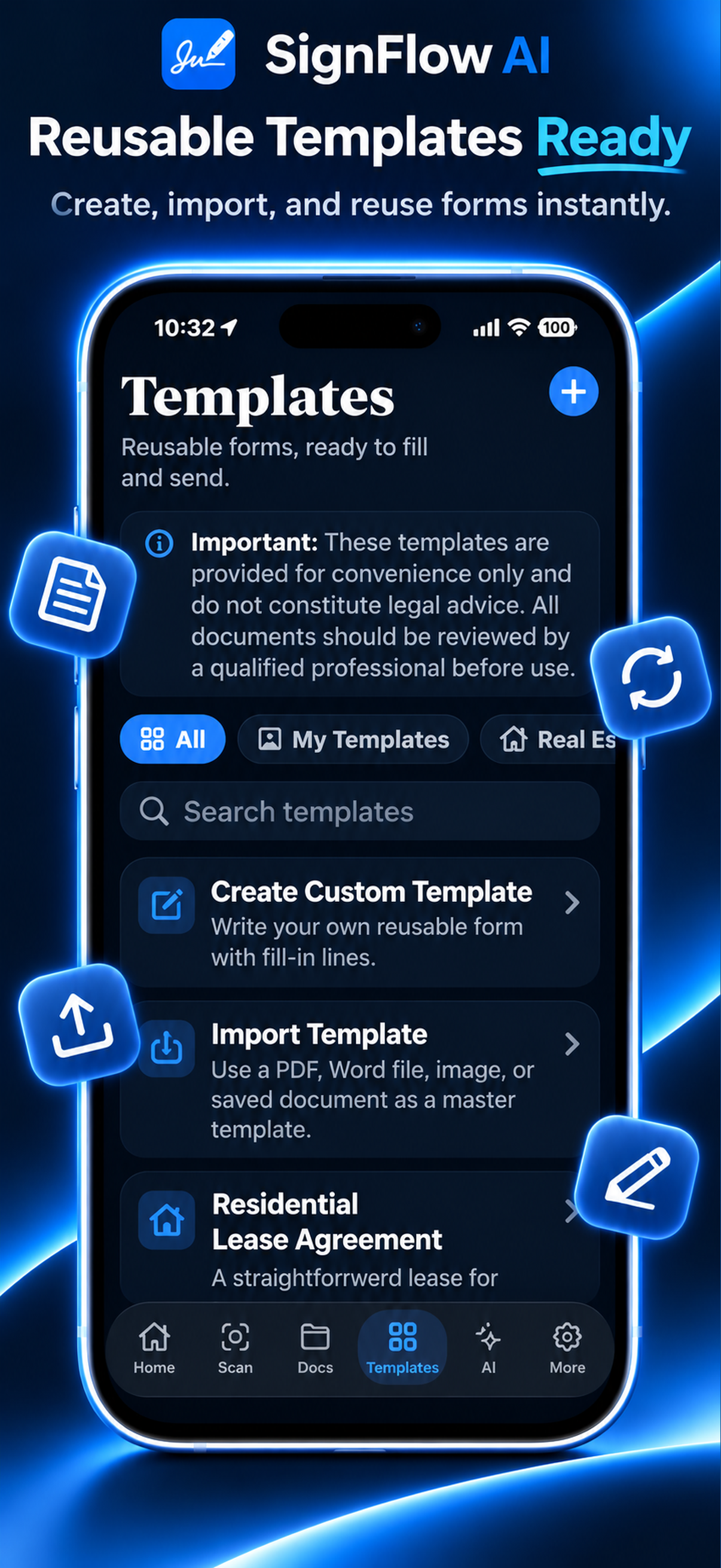
Reusable Templates.
Start faster with reusable forms. Create your own templates, import existing documents as templates, or use supported built-in starting points.
- Create custom templates
- Import documents as templates
- Supported built-in starting points
- Reuse across documents
- Start faster on common forms
Feature 09
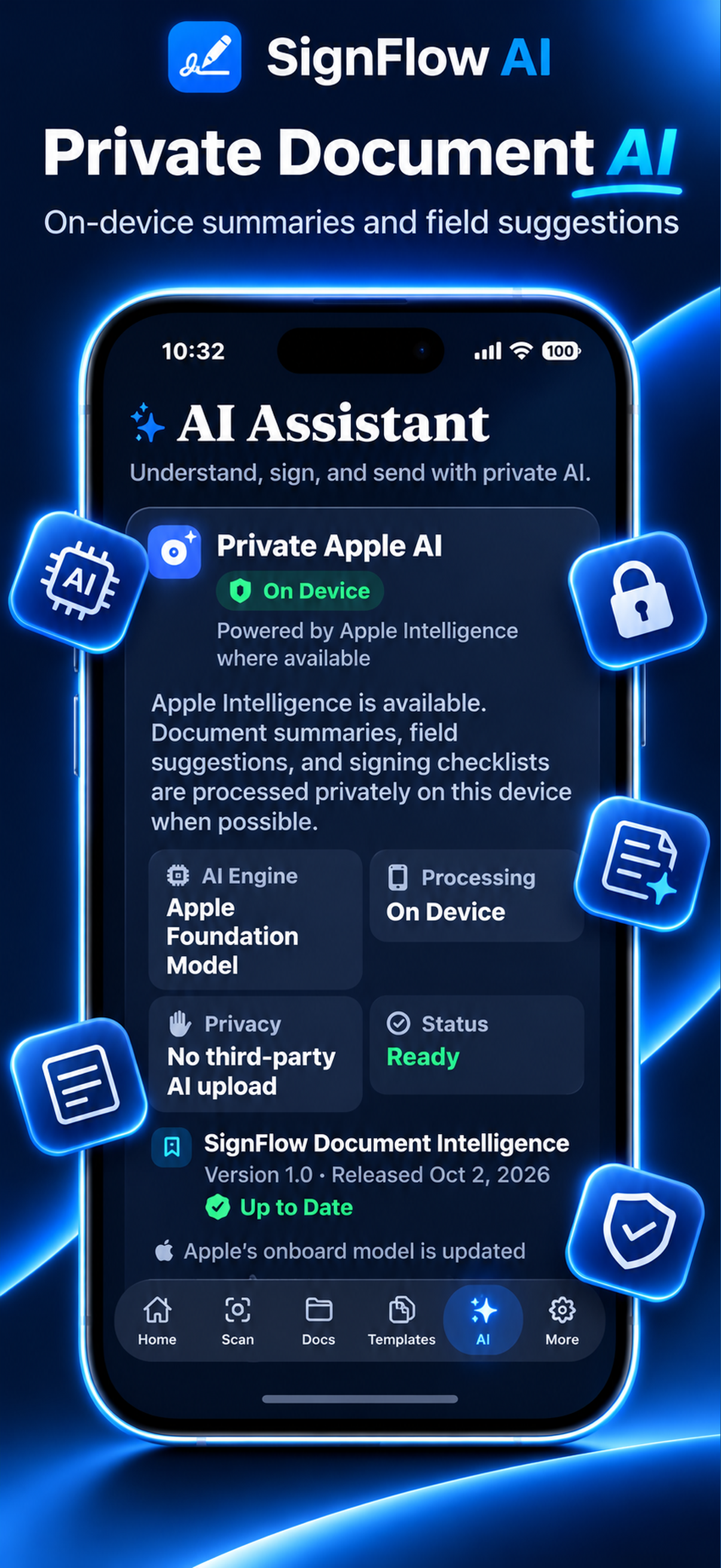
Private Document AI.
Use optional AI assistance for supported document summaries, field suggestions, and signing checklists. On compatible Apple devices, supported intelligence is designed to use on-device processing when available.
- Optional AI assistance
- Document summaries
- Field suggestions
- Signing checklists
- On-device processing when available
Feature 10
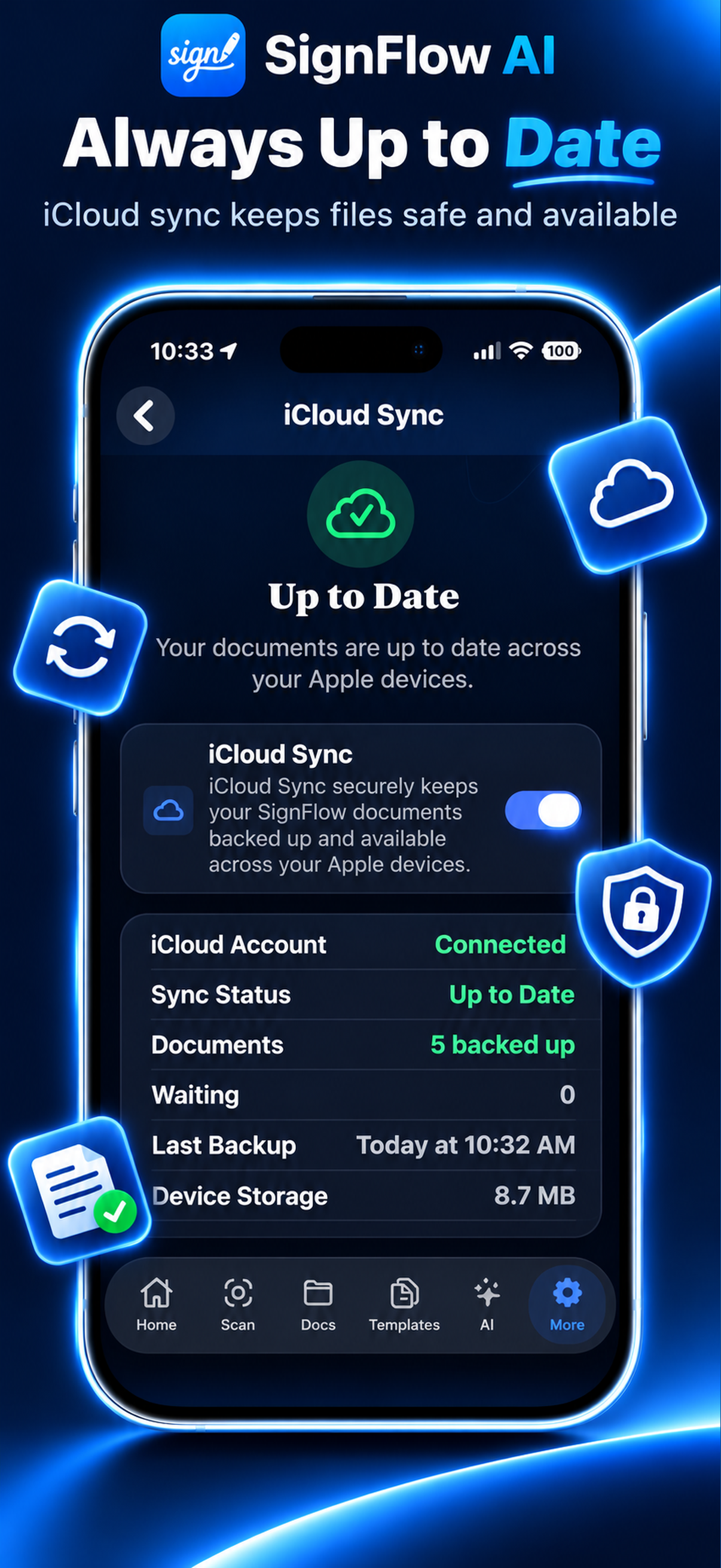
Always Up to Date.
When iCloud Sync is enabled, SignFlow AI can keep supported documents backed up and available across your Apple devices. You remain in control of whether iCloud synchronization is enabled.
- Optional iCloud synchronization
- Supported document backup
- Available across Apple devices
- User-controlled sync settings
- Your Apple iCloud account
Capabilities
What SignFlow AI Can Do
Signatures
Create, save, place, resize, move, edit, and recolor signatures.
Initials
Save and reuse initials throughout documents.
Printed Name
Quickly add saved or custom printed names.
Dates
Add today's date or choose another date.
Text
Place custom text anywhere it belongs.
Add email information to forms.
Phone
Place phone numbers where required.
Address
Add address information when appropriate.
Amounts
Enter financial or numeric values.
Checkboxes
Add checkmarks to forms.
Images
Place supported images into documents.
Freestyle
Add freeform content where needed.
Document Scanning
Capture paper documents using the iPhone camera.
Auto Page Detection
Help identify document boundaries during scanning.
Multi-Page Documents
Capture and manage documents containing multiple pages.
PDF / File Import
Import existing supported documents.
Precision Placement
Move and resize values directly on the document.
Annotation Colors
Choose Black, White, Blue, Red, or Green for supported values.
Optional Smart Fill
Let AI assist in identifying likely fields when requested.
Templates
Create, import, and reuse common documents.
Folders
Keep documents organized.
Search
Find saved documents quickly.
iCloud Sync
Optional backup and synchronization using Apple iCloud.
Private AI Assistance
Use supported document intelligence with on-device processing when available.
Device Security
Use supported Apple device authentication and privacy controls where enabled.
Sharing & Export
Save and share completed documents.
How It Works
From Paper to Signed.
Scan or Import
Capture a paper document or import an existing file.
Review
Crop, rotate, retake, or add pages as needed.
Name & Save
Give the document a clear name and save it to SignFlow.
Add What You Need
Add signatures, initials, dates, names, text, and other values manually or use optional Smart Fill assistance.
Perfect the Placement
Move, resize, edit, or recolor added values.
Finish & Share
Save the completed document and share or export it when ready.
Scan. Fill. Sign. Done.
Our Philosophy
AI Helps. You Stay in Control.
SignFlow AI is first and foremost a document signing application. Signing, initialing, dating, filling, and editing documents should remain simple even without AI. Smart Fill and other intelligent features are optional tools designed to reduce work when they are useful — not create more work when they are not.
Manual Control
Add and position fields yourself whenever you prefer.
Optional Smart Fill
Ask AI to help identify likely fields only when you want assistance.
Edit Anything
Move, resize, recolor, change, or delete supported values.
Remove AI Suggestions
Users remain in control of AI-assisted fields and can remove suggestions they do not want.
Privacy First
Your Documents Should Stay Yours.
SignFlow AI is designed around privacy, user control, and Apple's ecosystem. Supported intelligent features are designed to use on-device processing when available, and optional iCloud synchronization uses your Apple iCloud account when enabled.
On-Device Intelligence
Supported AI features are designed to process on the iPhone or iPad when technically available.
Optional iCloud
You choose whether supported documents and information are backed up or synchronized through iCloud.
User Controlled
You decide what to scan, fill, sign, save, delete, export, or share.
Device Protection
Supported device security features can help protect access to SignFlow and sensitive document information.
Use Cases
Built for Documents You Actually Sign.
Contracts
Fill and sign everyday agreements.
Employment Documents
Complete offer letters and employment forms.
Real Estate
Work with leases and property-related documents.
Business Forms
Sign agreements and complete business paperwork.
Service Agreements
Complete agreements between service providers and customers.
Personal Documents
Fill everyday forms and records.
Consent Forms
Add names, dates, signatures, initials, and checkboxes.
Imported PDFs
Bring existing PDFs into SignFlow for completion.
SignFlow AI is a document signing and productivity tool. Templates and intelligent assistance are not legal advice. Important documents should be reviewed by an appropriate qualified professional when necessary.
Gallery
See SignFlow AI in Action.
Explore the scanning tools, signing workspace, document organization, templates, and optional AI features that make SignFlow AI a complete document signing solution.
FAQ
Frequently Asked Questions
What is SignFlow AI?
Do I have to use AI?
Can I save my signature and initials?
Can I change the color of my signature?
Can I scan paper documents?
Can I import documents?
Does SignFlow support multiple pages?
Does SignFlow use iCloud?
Is Smart Fill required?
Can I create templates?
Is SignFlow legal advice?
Scan. Sign. Finish.
Complete documents from your iPhone or iPad with precise signing tools, optional private AI assistance, reusable templates, organized files, and user-controlled iCloud sync.